How to clear a queue on WhatsApp
Learn how to clear a queue on WhatsApp in Radist.Online when a connection drops or a number is banned, so undelivered messages are not sent afterward.
Clearing the Message Queue for WhatsApp Connections
For WhatsApp Business connections, the “Clear Queue” button is available in the connection card. This feature is used when the connection has dropped (the session becomes invalid) and messages stop being sent or received.
Such connections have the status in the list of connections: “scan the QR code in the WhatsApp mobile application”
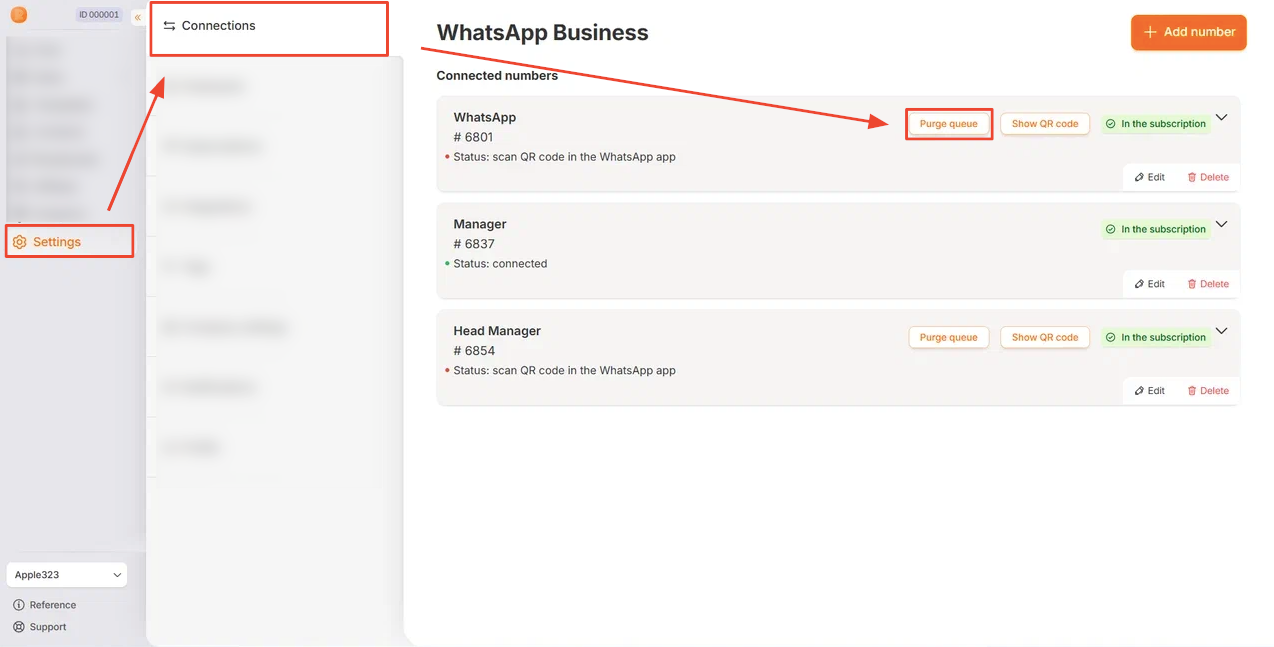
How the “Clear Queue” Button Works
The button is visible only to employees with the “Connection — Edit” access right.
Learn more about access rights in this document: “Available rights for roles”
When you click the button, a confirmation window appears.
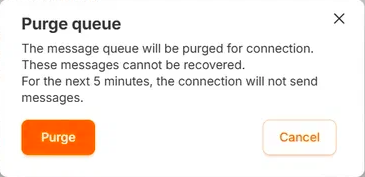
When to Use Queue Clearing
Case: Broadcast and Ban
If the number gets banned during a broadcast and message sending stops, the queue may contain messages that haven’t been delivered yet. After the ban is lifted, the system will try to send them — which is often undesirable.
In this situation, use “Clear Queue” to delete all messages prepared for sending and prevent them from being delivered after the ban is lifted.