How to remove a number from a subscription in 360Dialog
How to remove a number from a subscription in 360Dialog: cancel the WhatsApp account subscription step by step through the Danger Zone to stop billing.
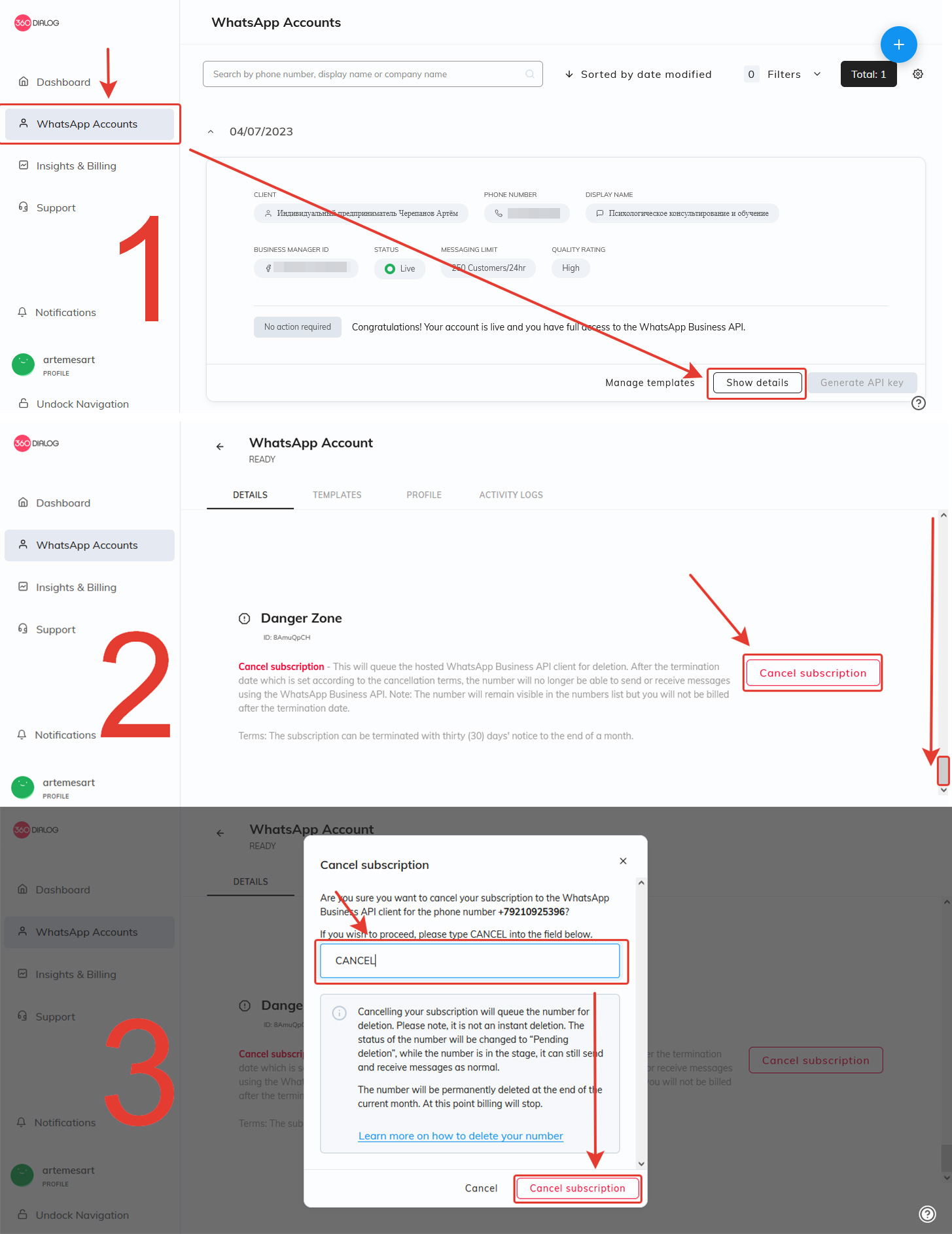
- In 360Dialog, go to the WhatsApp Accounts menu on the left panel and select the number you’re deleting from your subscription - Show Details button
- Scroll to the bottom of the page and click the red Cancel subscription button in the Danger Zone section.
- In the window that will open, write CANCEL in the text input field and click Cancel subscription For the selected number, the subscription will stop
Was this article helpful?
Last updated on