Changing the profile in 360dialog
Changing your profile in 360dialog: edit business info instantly, and send a new WhatsApp Display Name for Facebook moderation that takes 1-2 days to review.
The link to log in to your 360dialog personal account: https://hub.360dialog.com/dashboard (you should have accesses on your email).
Changing profile information
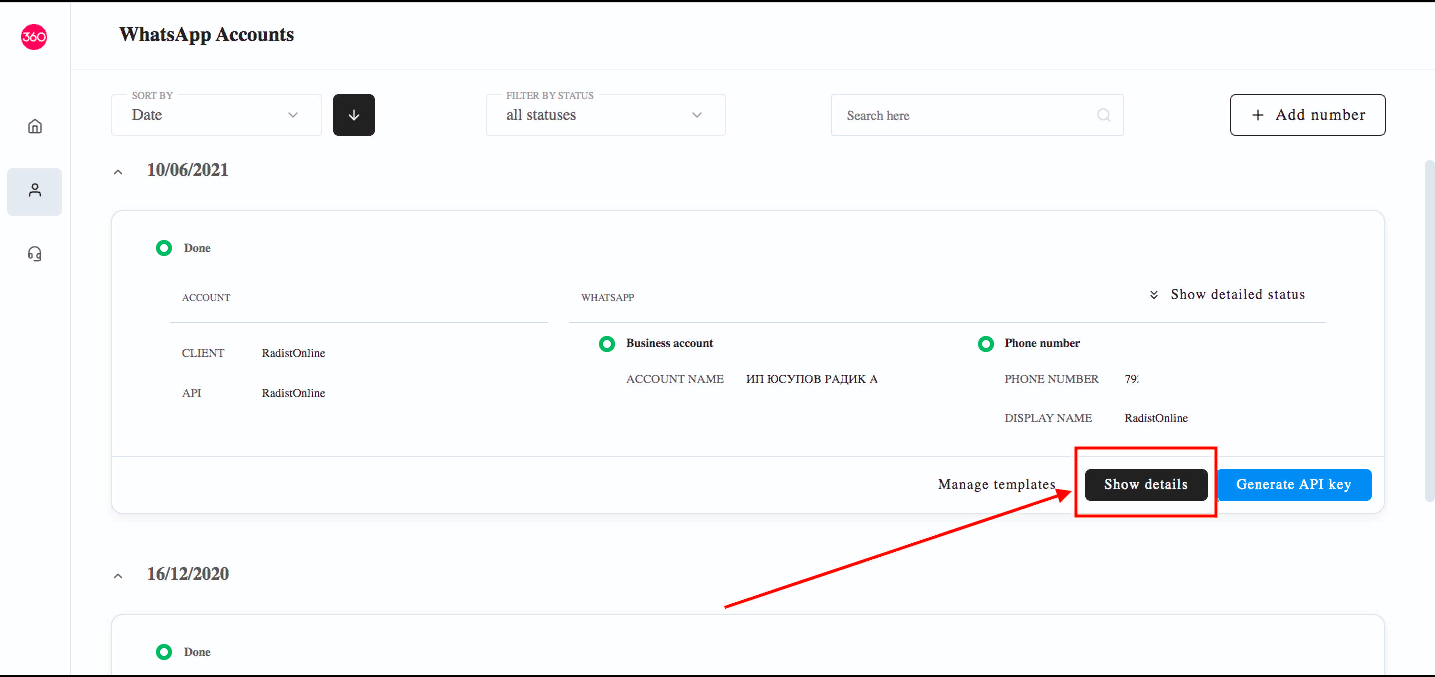
- Click “Show details”.
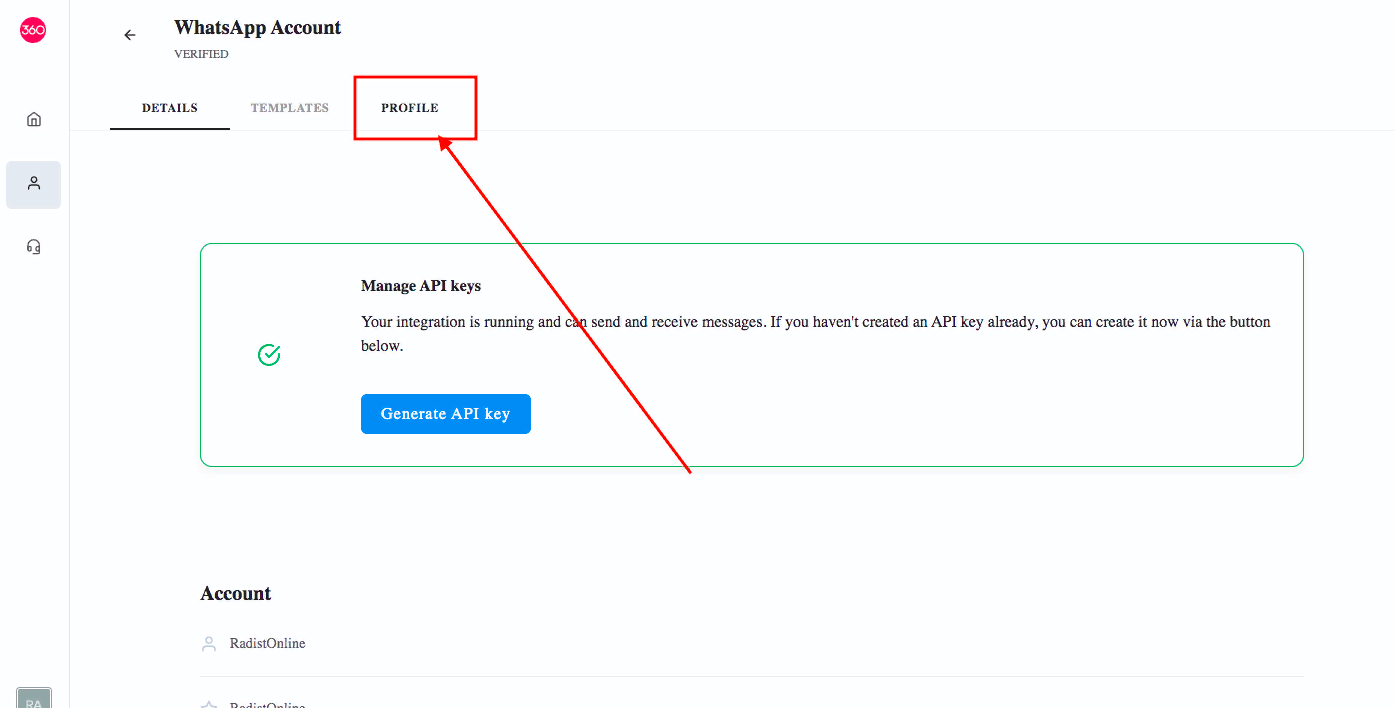
- Click “PROFILE”.
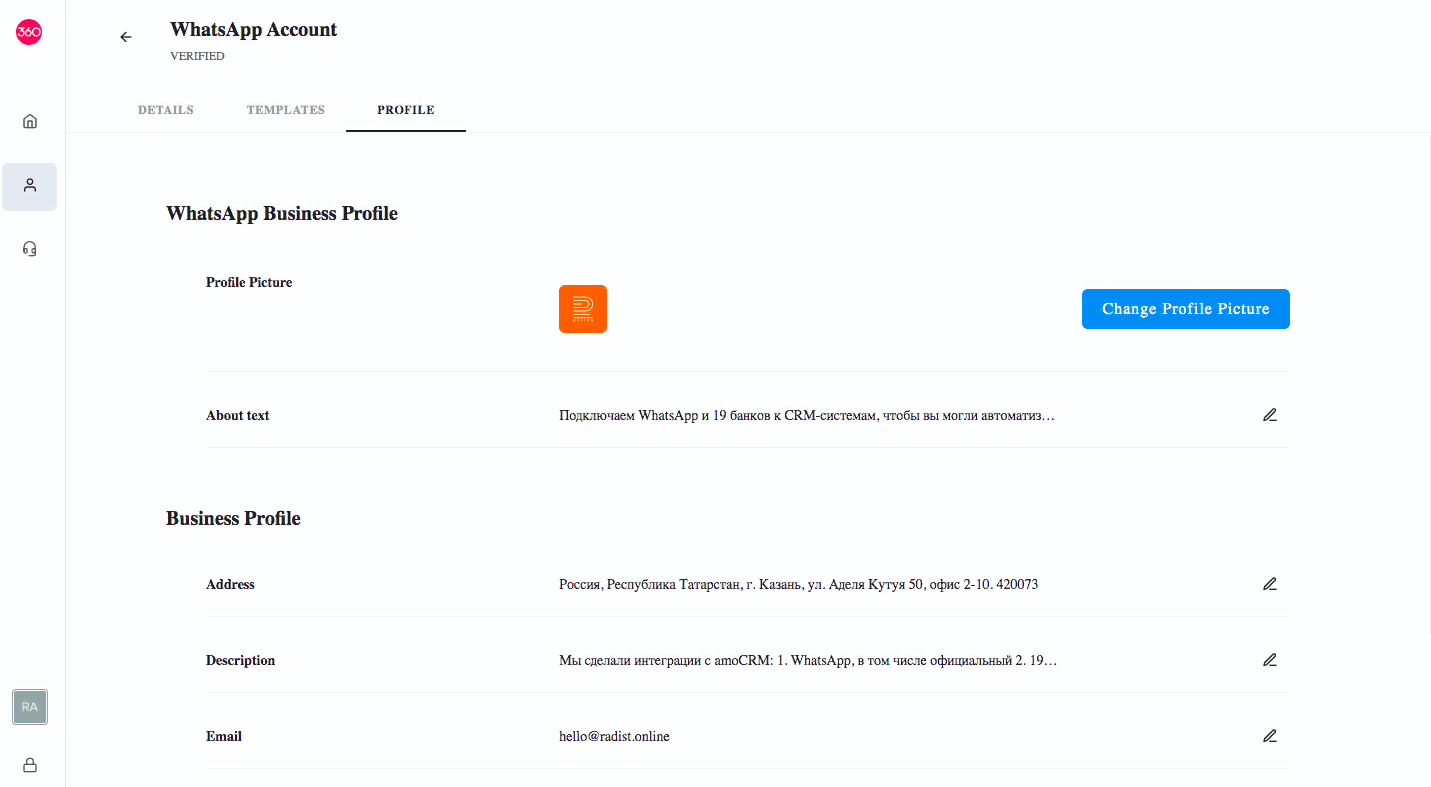
- Change the information you want. Information does not need to be moderated in Facebook, it changes instantly.
Changing display name
Display name must pass moderation on Facebook. It takes 1-2 days. Once connected to the WABA, the Display name cannot be changed for 30 days.
- Click “Show details”.
- Go down the page.
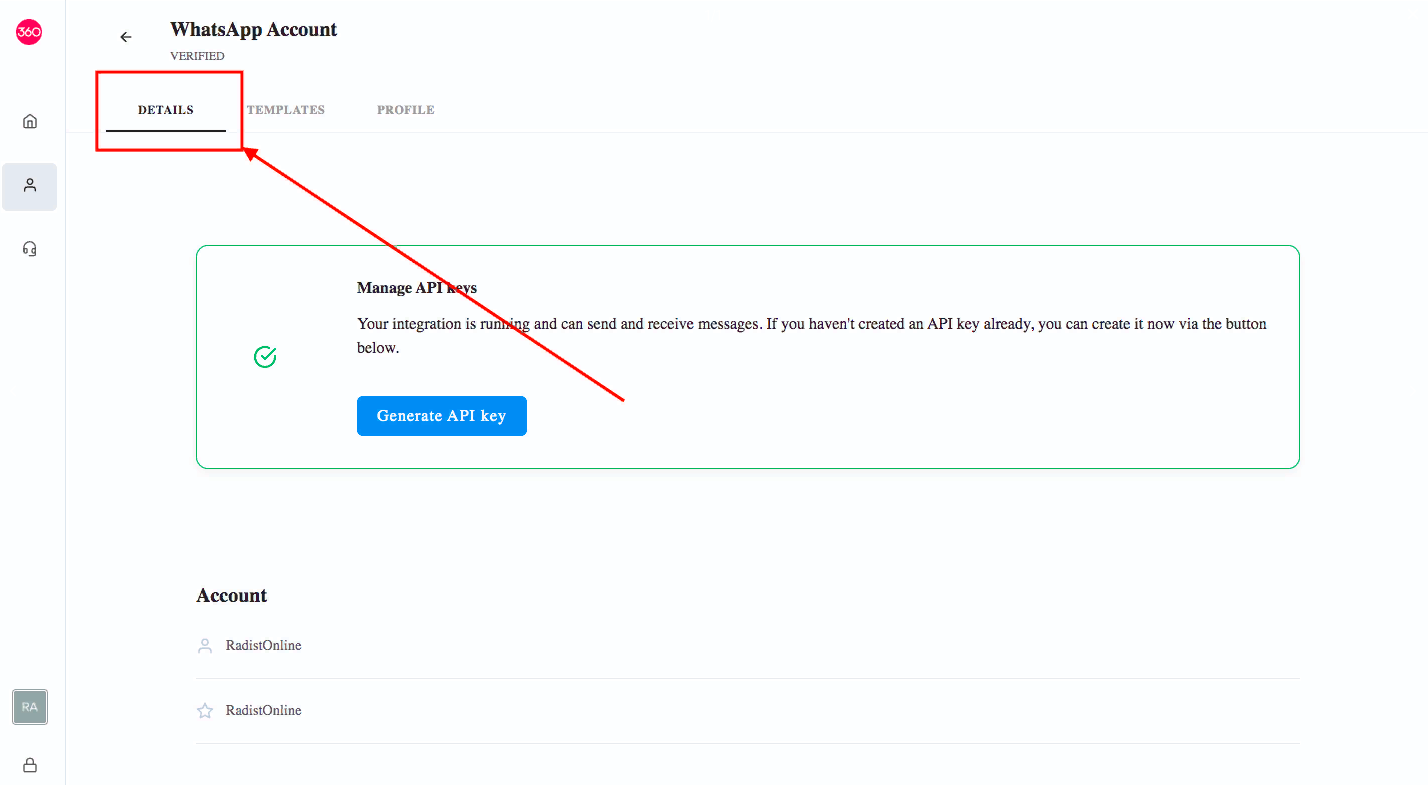
- Press the pencil to change the display name.
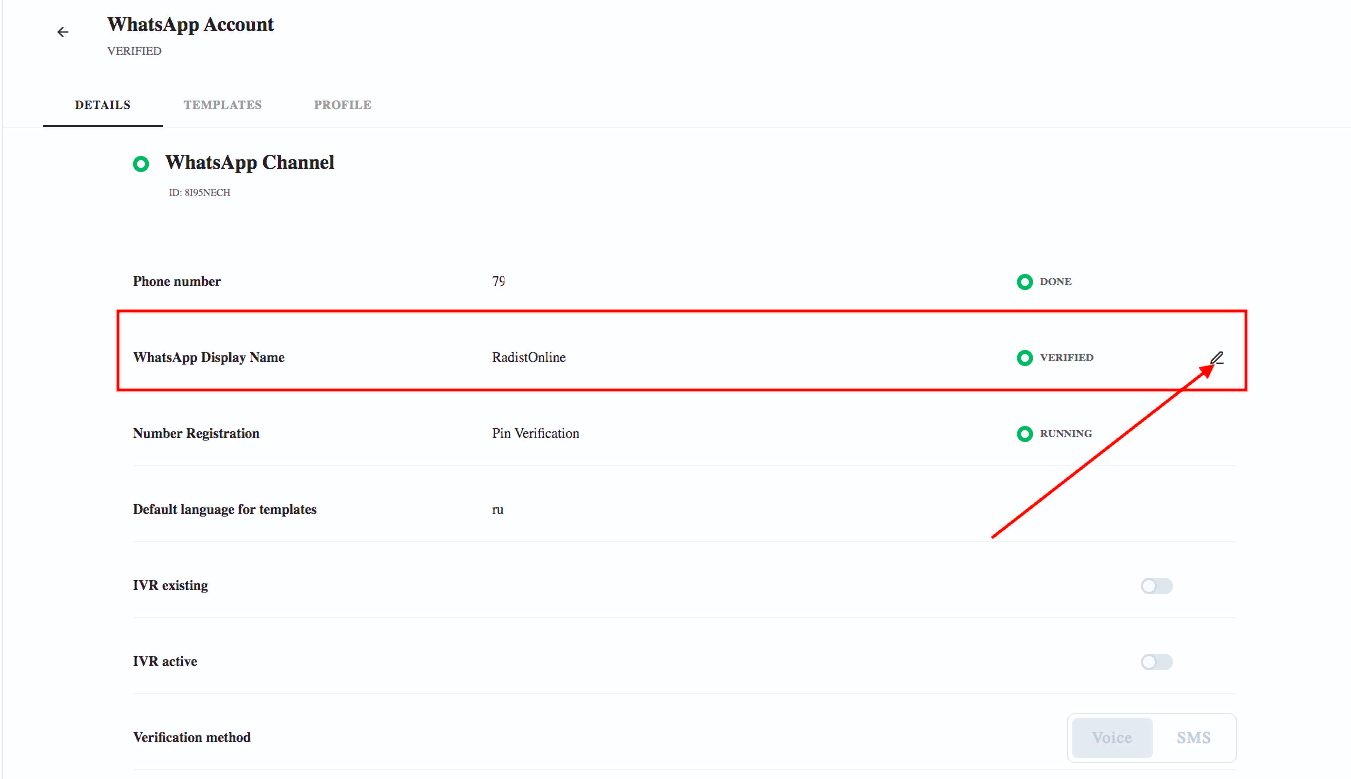
- Send new display name for moderation.
Was this article helpful?
Last updated on