5-day advance
The 5-day advance in RadistWeb: extend your subscription yourself while the payment is on its way so your connections keep working. When the “Take advance” button appears and what cannot be changed during an advance.
Sometimes a subscription expires today while the payment is still on its way: the invoice is with your accounting department, the money has been sent, but it will reach Radist.Online only in a few days. Previously you had to write to support and wait, and your connections were switched off in the meantime.
Now you can extend the subscription by 5 days yourself — right in your personal cabinet, with a single button. That is what an advance is: your connections keep working until the payment arrives.
How to take an advance
Open “Payments and Subscriptions”
Log in to your personal cabinet and go to Settings → Payments and Subscriptions.
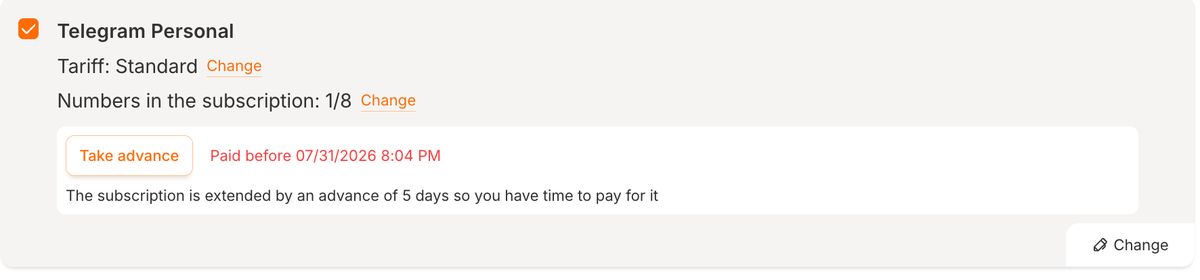
Click “Take advance” in the subscription card
The button appears in the card of the subscription that is about to expire.
Confirm
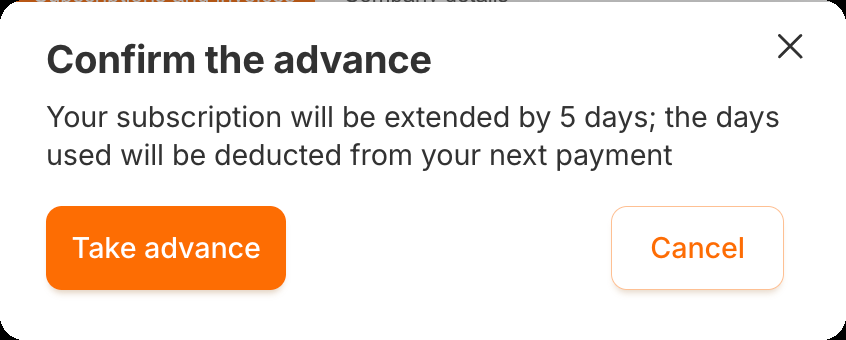
The “Confirm the advance” window opens: “Your subscription will be extended by 5 days; the days used will be deducted from your next payment”. Click “Take advance”.
The subscription is extended by 5 days straight away, the card shows the “Advance up to {date and time}” status, and the “Take advance” button disappears until the payment arrives.

If there is no “Take advance” button
The button is shown only when all of the conditions are met at once:
- the subscription is a paid one and has already been paid for at least once — no advance is granted during the test period;
- no more than 2 days are left until the subscription expires;
- there is no outstanding advance on this subscription — the previous advance has already been covered by a payment;
- the advance for this subscription is not disabled.
The advance is available on all tariffs.
What cannot be changed during an advance
Until the advance is covered by a payment, the following buttons in the subscription card are inactive:
- subscription recalculation;
- subscription transfer;
- changing the tariff — “Change” next to the tariff;
- changing the subscription size (the number of numbers) — “Change” next to the number count.
Hovering over an inactive button shows a hint that the action is unavailable while an advance is active.
This is intentional: if the tariff or the subscription size changed during an advance, it would be unclear how many advance days to deduct from the next payment. As soon as a payment that covers the advance arrives, all the buttons become active again — automatically, with no need to contact support.
When the 5 days are over
- The payment has arrived — the advance is closed, and the advance days you used are deducted from that payment automatically. For example, if you used all 5 days, the new subscription period will be 5 days shorter.
- The payment has not arrived — the subscription becomes overdue and its connections stop working, just like with any unpaid subscription.
Who can take an advance
| Who you are | How to get an advance |
|---|---|
| A client without a partner | Yourself, with the “Take advance” button in “Payments and Subscriptions” |
| A partner’s referral | Yourself, with the “Take advance” button in “Payments and Subscriptions” |
| A partner’s client | There is no button in your cabinet — the advance is granted by your partner or by a Radist.Online employee |
For partners: how to grant an advance to a client
If your client’s subscription expires before their payment reaches you, you can extend it by 5 days yourself.
Open the client card in “Affiliate → Clients”
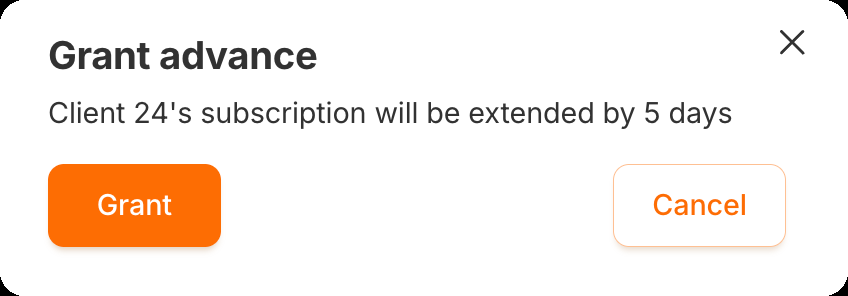
Click “Grant advance” in the subscription card

Confirm
The confirmation window shows “Client {ID}’s subscription will be extended by 5 days”. Click “Grant”.
The conditions are the same as for the client. You see the button only for your own clients — this is additionally verified on the service side.