Profile
RadistWeb Profile: change your name and password, turn on two-factor authentication and passkeys (and remove them), set the language, dark theme, in-app and push notifications, and log out.
The Profile section holds the personal settings of the employee you are signed in as. To open it, go to Settings → Profile in the left menu.
The settings are grouped into four blocks: Personal data, Access management, Interface and notifications and Account management. Each employee has their own settings: if a colleague turns on the dark theme or two-factor authentication, nothing changes for you.
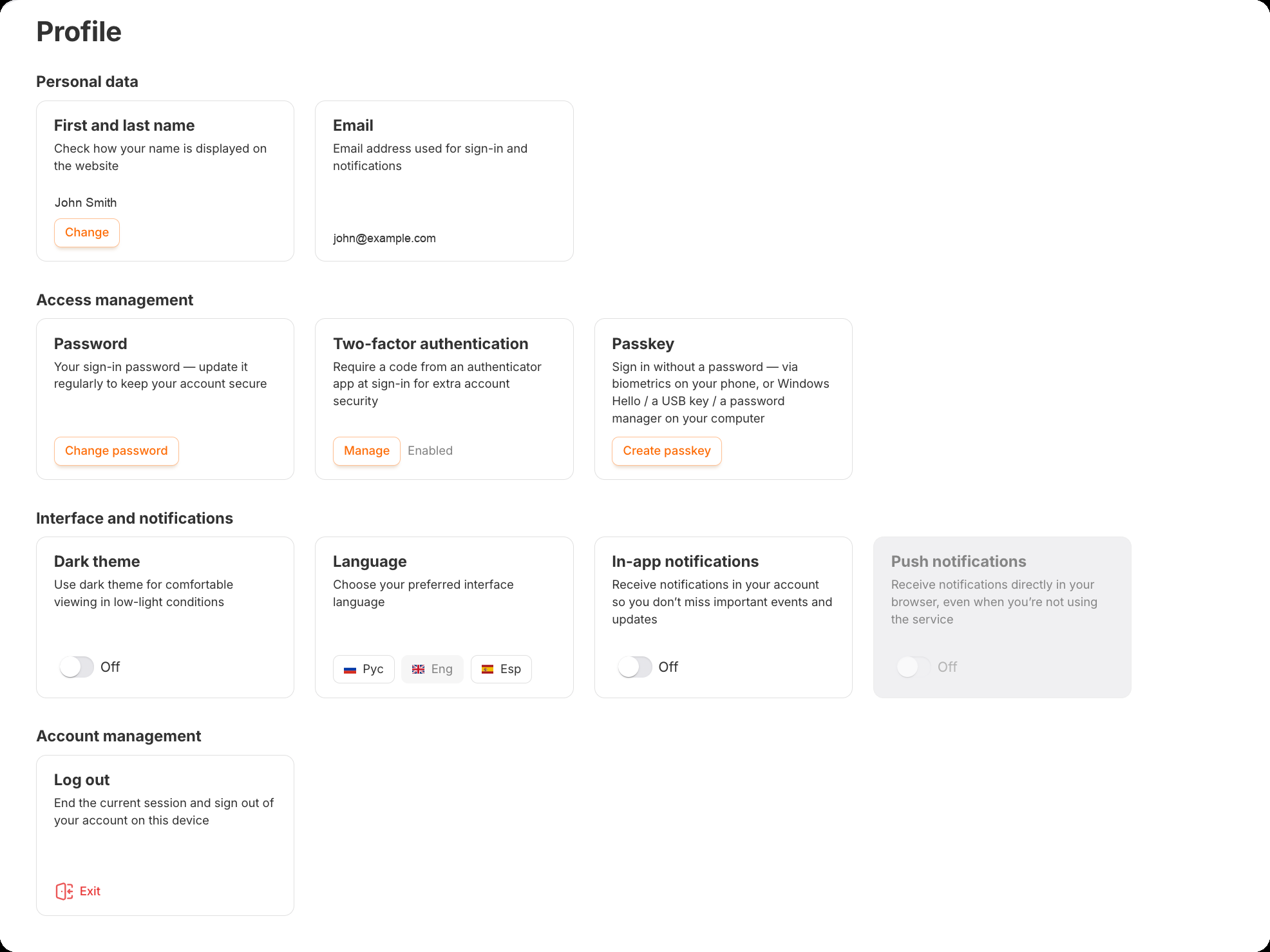
Personal data
First and last name
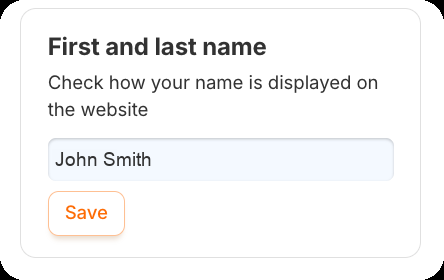
Click “Change” — the name becomes editable right on the card. Fix it and click “Save”. An empty name can’t be saved.
The email you registered with is shown in the profile, but it can’t be changed here — it is also your login. If you need a different address, contact our support.
Access management
There are three ways to protect sign-in to your account: a password, two-factor authentication and a passkey. Everyone has a password; the other two are optional.
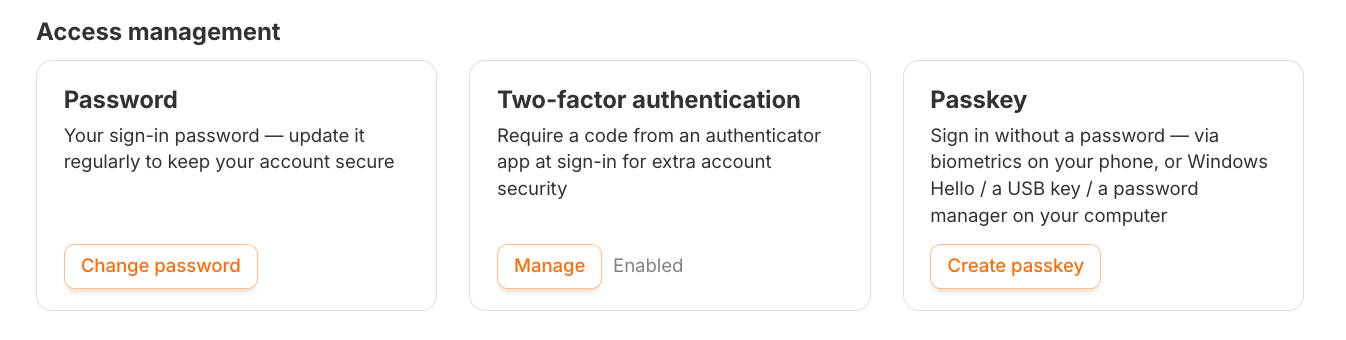
Changing the password
Click “Change password”, enter the new password twice and confirm.
Two-factor authentication (2FA)
At sign-in the account asks not only for your password but also for a one-time code from an authenticator app on your phone. Even if someone learns your password, they can’t get in without your phone.
Start the setup
Click the button on the “Two-factor authentication” card. The account will ask for your password once more.
Install an authenticator app
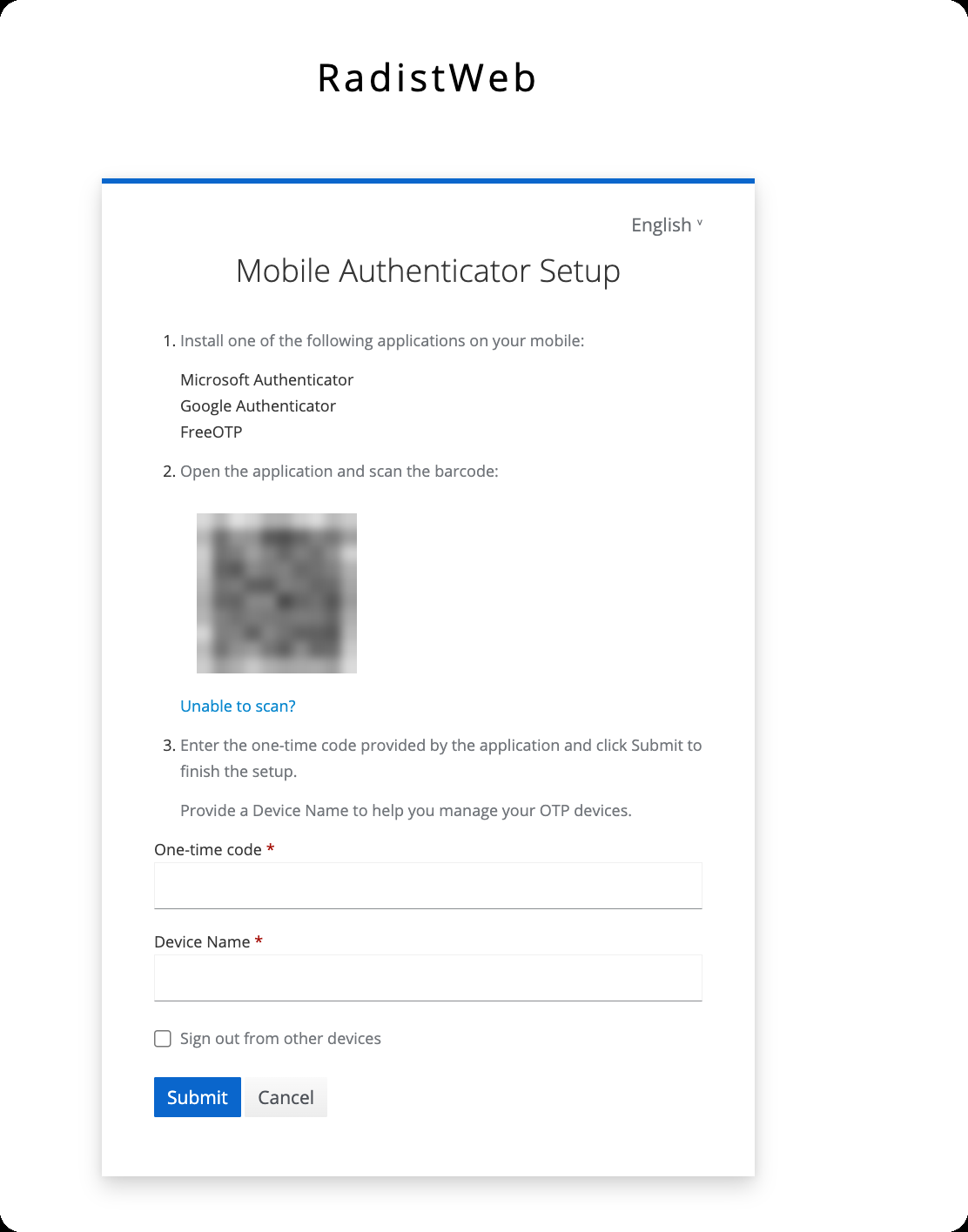
The “Mobile Authenticator Setup” screen lists suitable apps: Microsoft Authenticator, Google Authenticator or FreeOTP. Install any of them on your phone.
Scan the QR code
Open the app and point the camera at the QR code on the screen. If scanning doesn’t work, click “Unable to scan?”.
Enter the code and submit
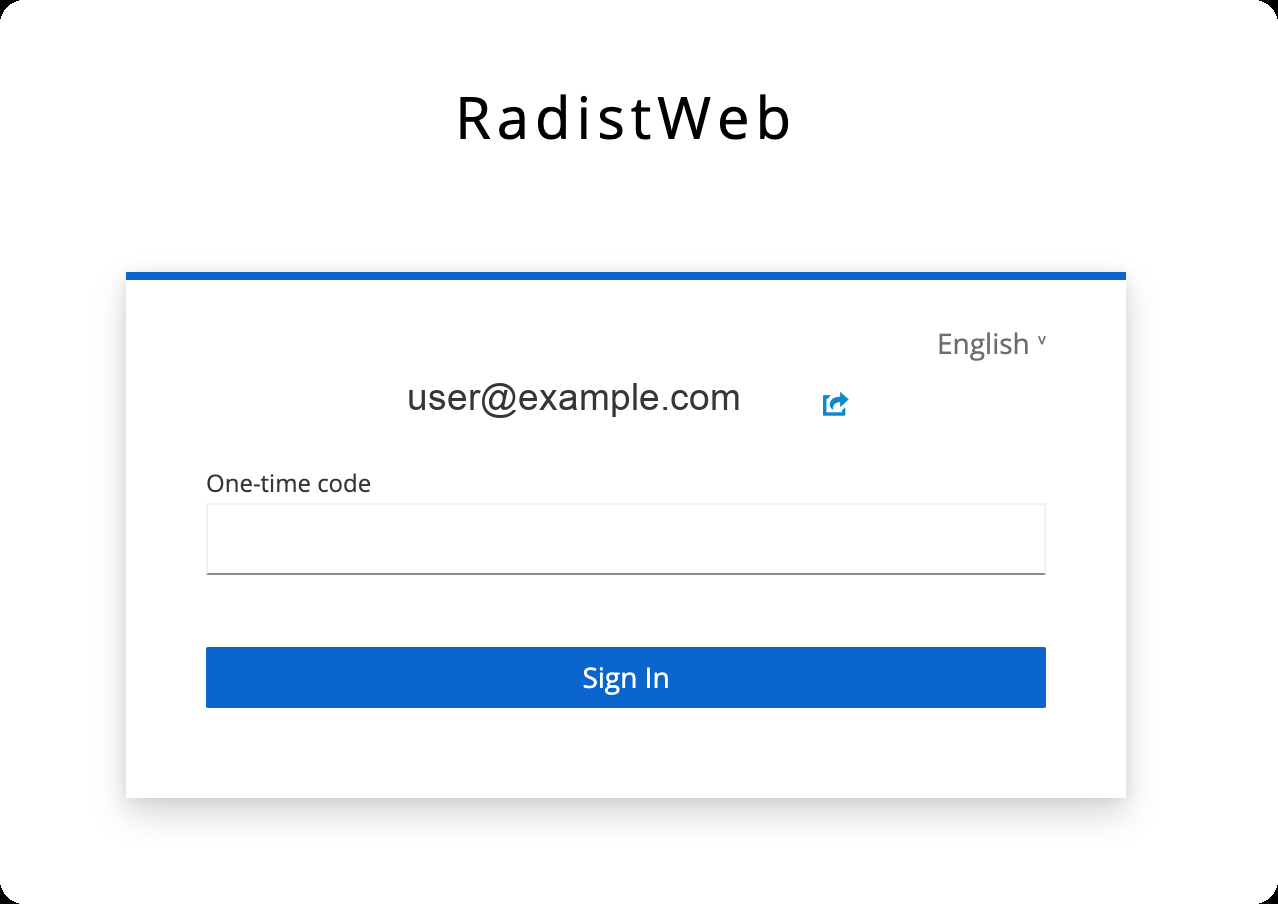
Type the code from the app into “One-time code”. In “Device Name” enter something you will recognise in the list later, for example “Work phone”. Click “Submit”.
From now on, signing in takes two steps: email and password, then the code from the app.
Passkey
A passkey lets you sign in without a password: you confirm it the same way you unlock your device — with a fingerprint, Face ID, Windows Hello, a USB key or a password manager. What exactly is offered depends on the device.
Click “Create passkey”
The button is on the “Passkey” card. The account will ask for your password once more.
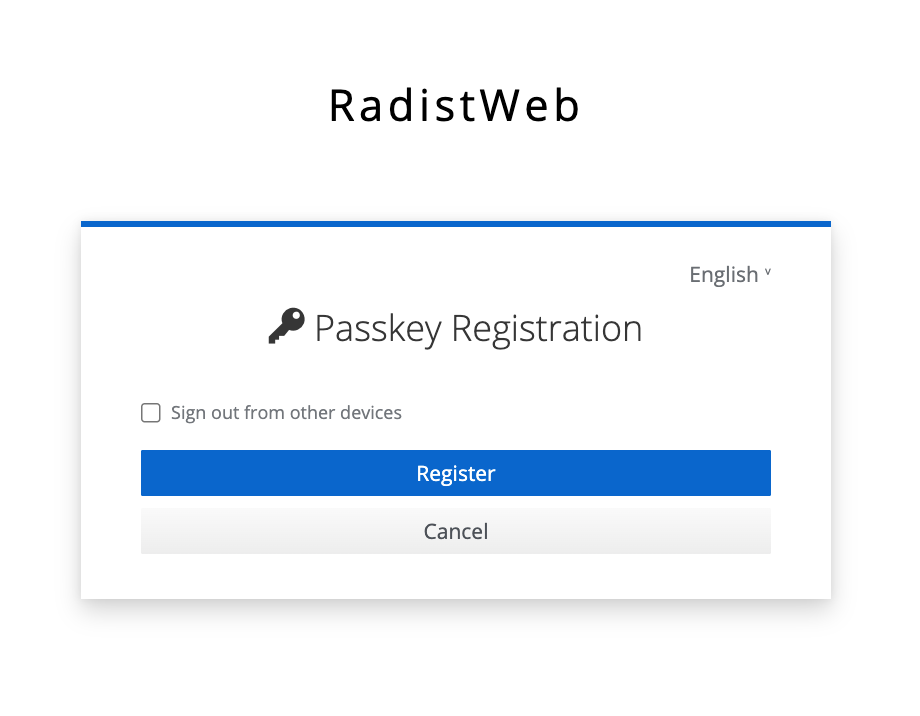
Click “Register”
The “Passkey Registration” screen opens. After you click “Register”, your device offers where to store the passkey and asks you to confirm, for example with a fingerprint.
📌 Working on a computer but want to keep the passkey on your phone? Choose the phone option: the computer shows a QR code, scan it with your phone.
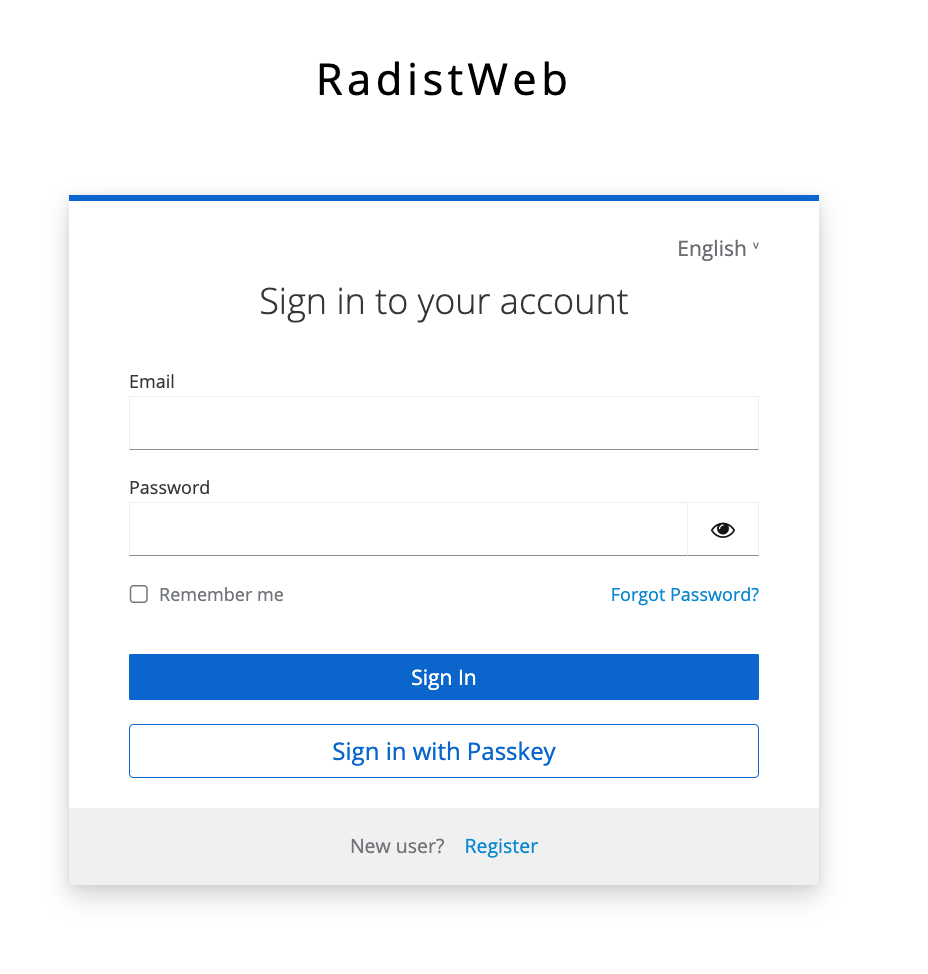
To sign in with the passkey, click “Sign in with Passkey” on the sign-in page — no email or password needed.
What is already connected
Once two-factor authentication is set up, its card shows “Enabled” next to the button, and the button changes to “Manage”. The passkey card changes the same way once a passkey is created.
The button opens a panel on the right with everything connected:
- for two-factor authentication — the device name and the setup date;
- for passkeys — the passkey name and the date it was added.
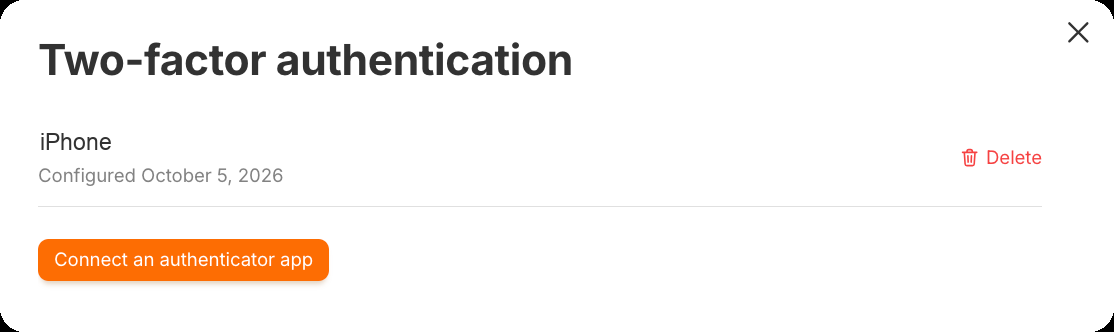
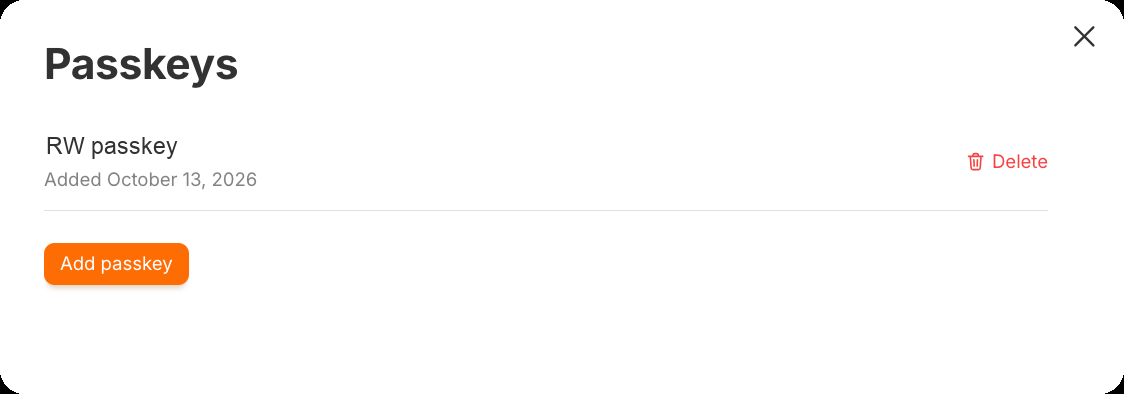
From the same panel you can add one more sign-in method — “Connect an authenticator app” or “Add passkey”. You can have several authenticator apps and several passkeys, for example on your work computer and on your phone.
Removing a sign-in method
Open the panel
Click “Manage” on the two-factor authentication or passkey card.
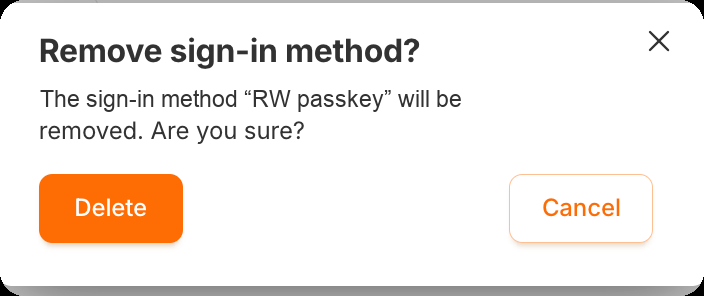
Click “Delete” next to the entry
The “Remove sign-in method?” window appears. Click “Delete”.
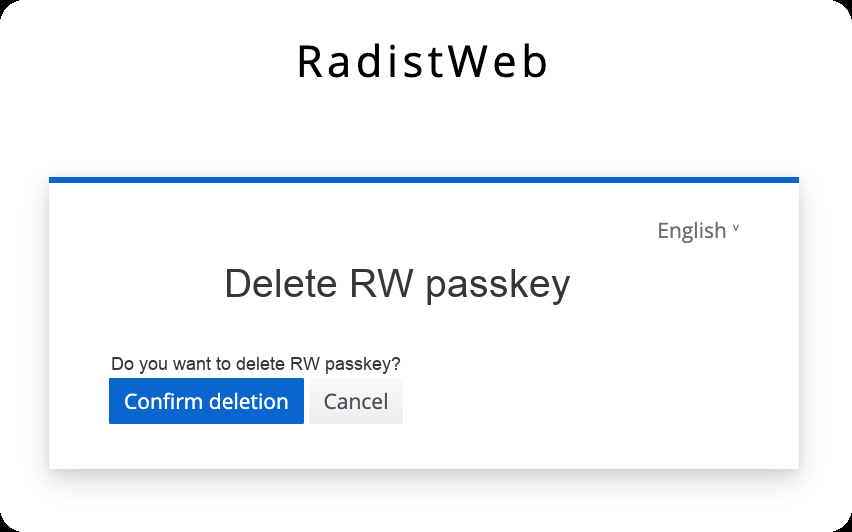
Confirm once more
A page with a second confirmation opens — click “Confirm deletion”. The second step makes sure protection can’t be removed by accident.
Interface and notifications

Dark theme
The “Dark theme” switch works the same as the switch at the bottom of the left menu: turn it on in one place and it’s on in the other. More: The theme.
Language
Click the card of the language you need — Рус, Eng or Esp. The account switches language right away.
In-app notifications
The “In-app notifications” switch turns on alerts about new messages while the account is open in your browser. This is the main notification setting: push notifications don’t work without it.
Push notifications
The “Push notifications” switch makes alerts arrive even when the account tab is closed: on a computer — from the browser, on a phone — like from a regular app.
Turn on “In-app notifications”
While they are off, the “Push notifications” switch is grey and can’t be clicked.
Turn on “Push notifications”
The browser asks for permission to show notifications — click “Allow”. The switch then turns on by itself.
Push notifications are turned on separately in every browser and on every device. Turned them on in Chrome at work? At home and on your phone you need to turn them on again.
If the permission prompt didn’t appear, look for the notifications icon in the browser’s address bar. Also check that notifications aren’t blocked in the computer’s or phone’s own settings — otherwise alerts won’t arrive even with the switch on.
📌 How to get notifications on your phone — RadistWeb on your phone.
Account management
The “Exit” button on the “Log out” card ends the session on this device and takes you back to the sign-in page.
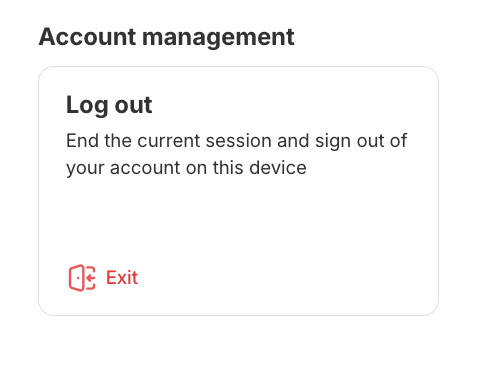
📌 The same button sits at the very bottom of the left menu — you can leave the account from any section without opening “Profile”. There the click has to be confirmed a second time: Navigating your account.
Frequently asked questions
How do I turn off two-factor authentication?
Click “Manage” on its card, then “Delete” next to the connected device, and confirm twice. If several devices are connected, remove all of them — then the account stops asking for a code. More: Removing a sign-in method.
I created a second passkey by accident. What should I do?
Open the passkey panel from the “Passkey” card — it lists all passkeys with the date they were added. Remove the extra one with “Delete”.
I lost the phone with the authenticator app and can’t sign in. What now?
If another device has a passkey or a second authenticator app, sign in with it and remove the lost device in the panel. If there is no other way in, contact our support.
Why is the “Push notifications” switch grey?
“In-app notifications” are off. Push notifications are an add-on to them and don’t work on their own. Turn on “In-app notifications” first.
I turned on push notifications, but they don’t arrive. Why?
Most often they were turned on in a different browser or on a different device — permission works only where it was given. The second thing to check is the computer’s or phone’s system settings: if notifications are blocked there, the browser can’t show them.