Disconnecting a number from Telegram+Kommo.com integration
Disconnect a number from the Telegram + Kommo.com integration: how the basket button works, why payment continues, and how to reconnect or fully delete a number.
You can disconnect the number from the Kommo.com integration by clicking the “basket” button in the “Integrations” section.
Disconnecting a number from integration does not stop the integration payment!
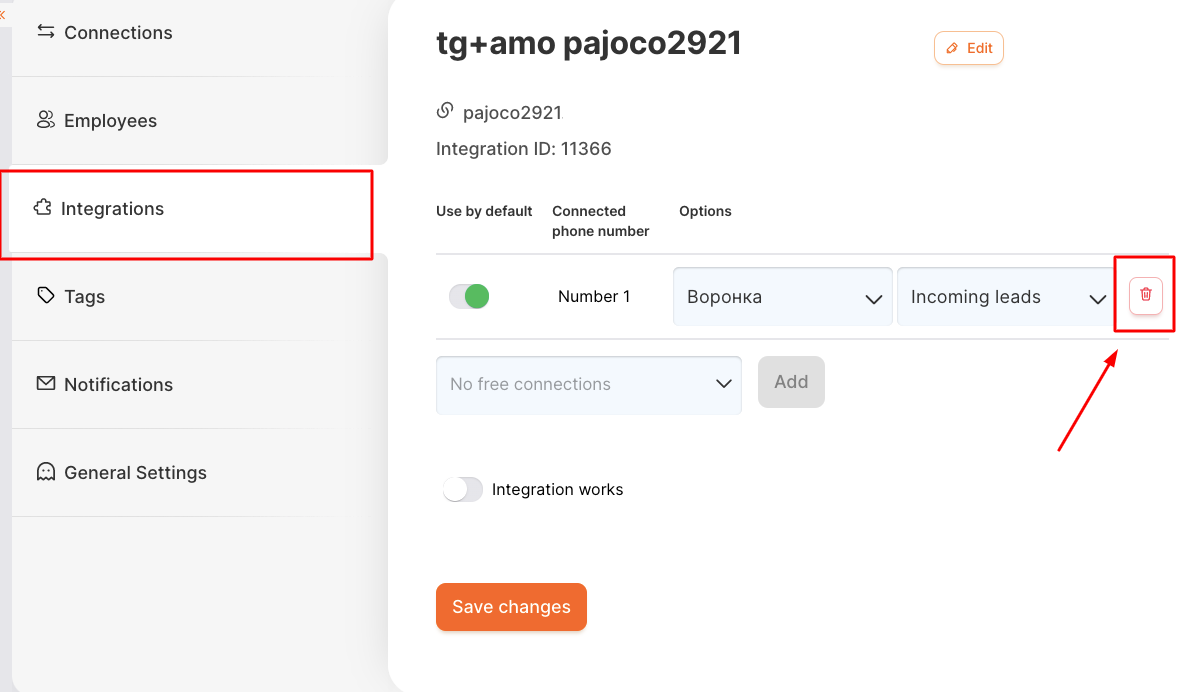
By clicking the “basket” button and saving the changes on the page, the number will disconnect from integration with Koomo.com, but will remain connected to RadistWeb.
This number can be reconnected to the same Kommo.com account, or switched to another Kommo.com domain.
You can finally delete the number from your Personal Account in the “Connections” section through our technical support.
Was this article helpful?
Last updated on