First message capture + Roistat
First message capture in Kommo: save the client's first WhatsApp or Telegram message to a lead field and launch a different Salesbot chain for each product.
In short. First message capture saves the client’s first message to a lead field. Then the text of that message decides which Salesbot scenario runs. It works through our webhook https://services.radist.online/amocrm/first_message and the Salesbot trigger “When a lead starts chatting for the first time that day”. Example: you sell two products, and the button for each one on your website has its own ready-made text (“I want apples” / “I want shoes”). Each text starts its own bot chain. There is also an optional link with Roistat for end-to-end analytics by channel and product.
Why capture the first message
Say a company sells two different products, apples and shoes, and clients come to WhatsApp from the website. The goal is to launch a separate bot chain in Kommo for each product.
The solution: put a ready-made text for each product on the website (“I want to buy apples” / “I want to buy shoes”) and launch the right chain based on that first message. Our webhook catches the first message for you.
How to set up first message capture
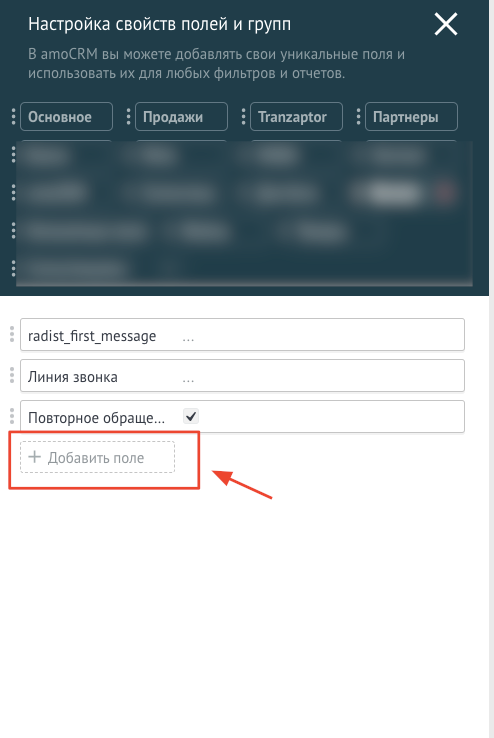
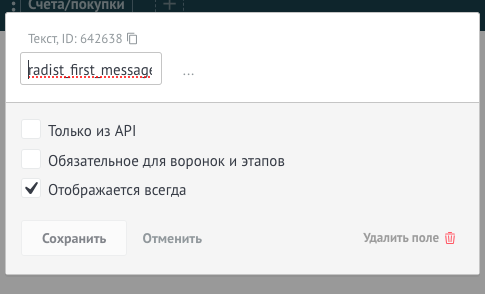
Add a text field named
radist_first_messageto your leads.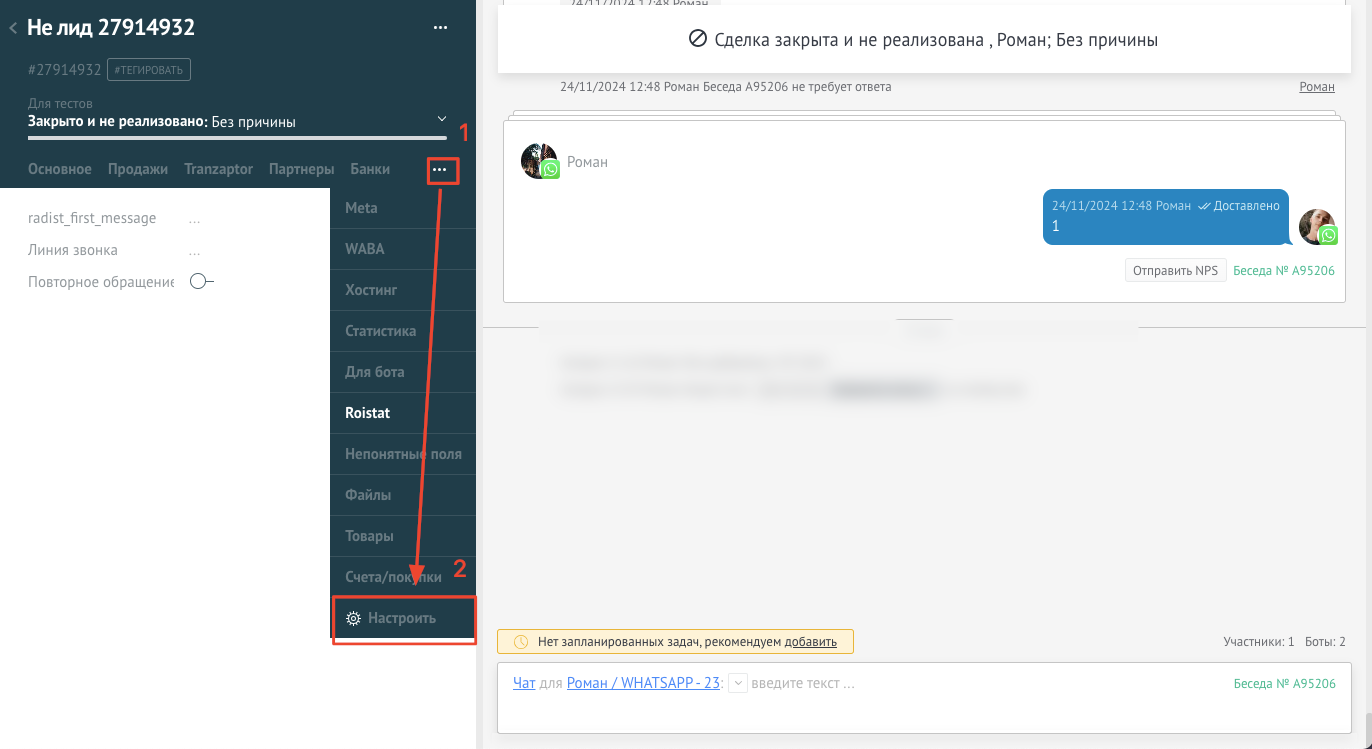
Create a bot that writes the client’s message to this field. Go to Leads and click Setup pipeline in the top right corner. In the stage right after “Incoming leads” (in the screenshot it is the first working stage), click an empty cell.
Create the bot in the stage where leads are created according to your RadistWeb account settings. If leads are created in a different stage, put the bot there.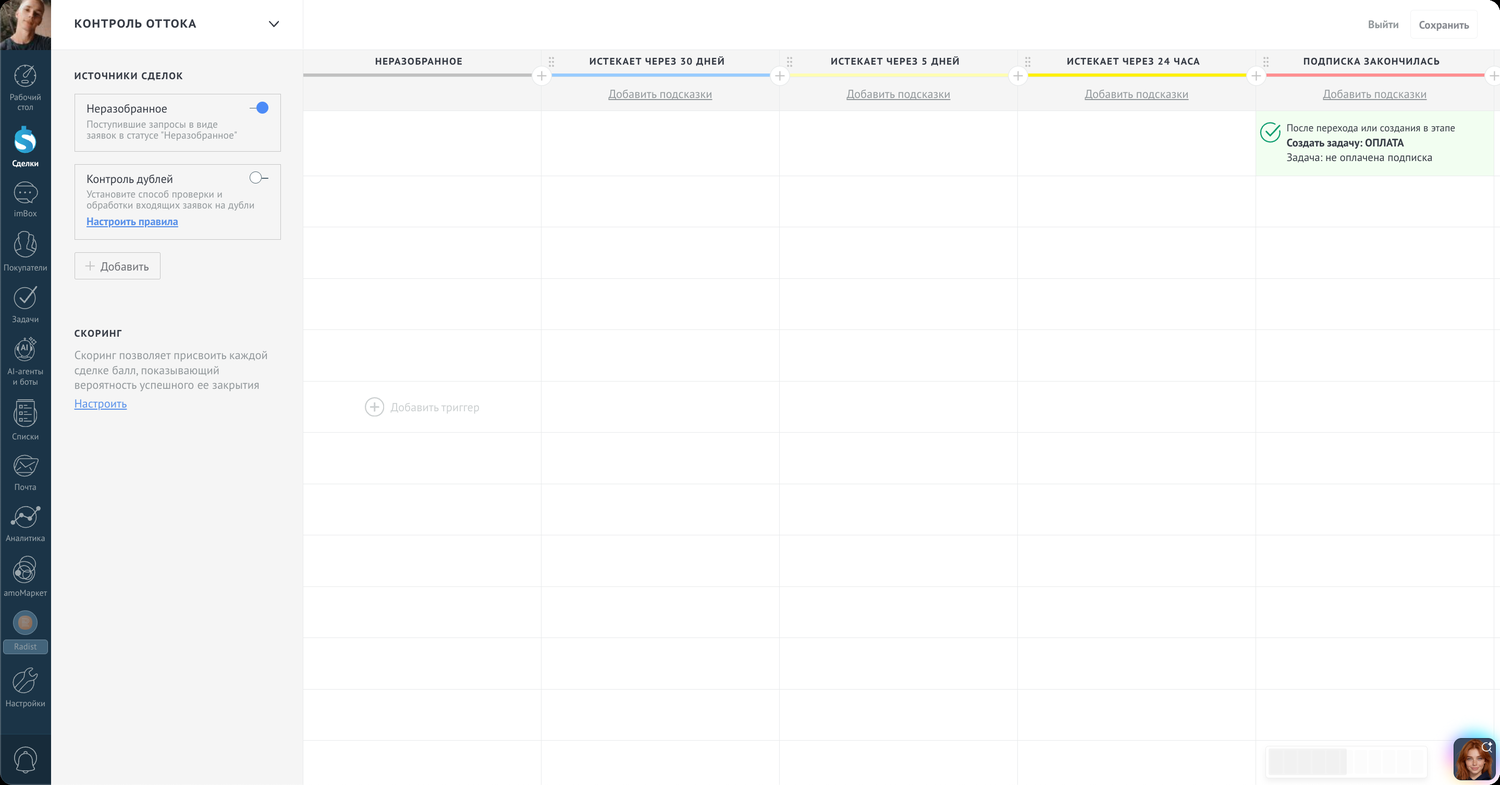
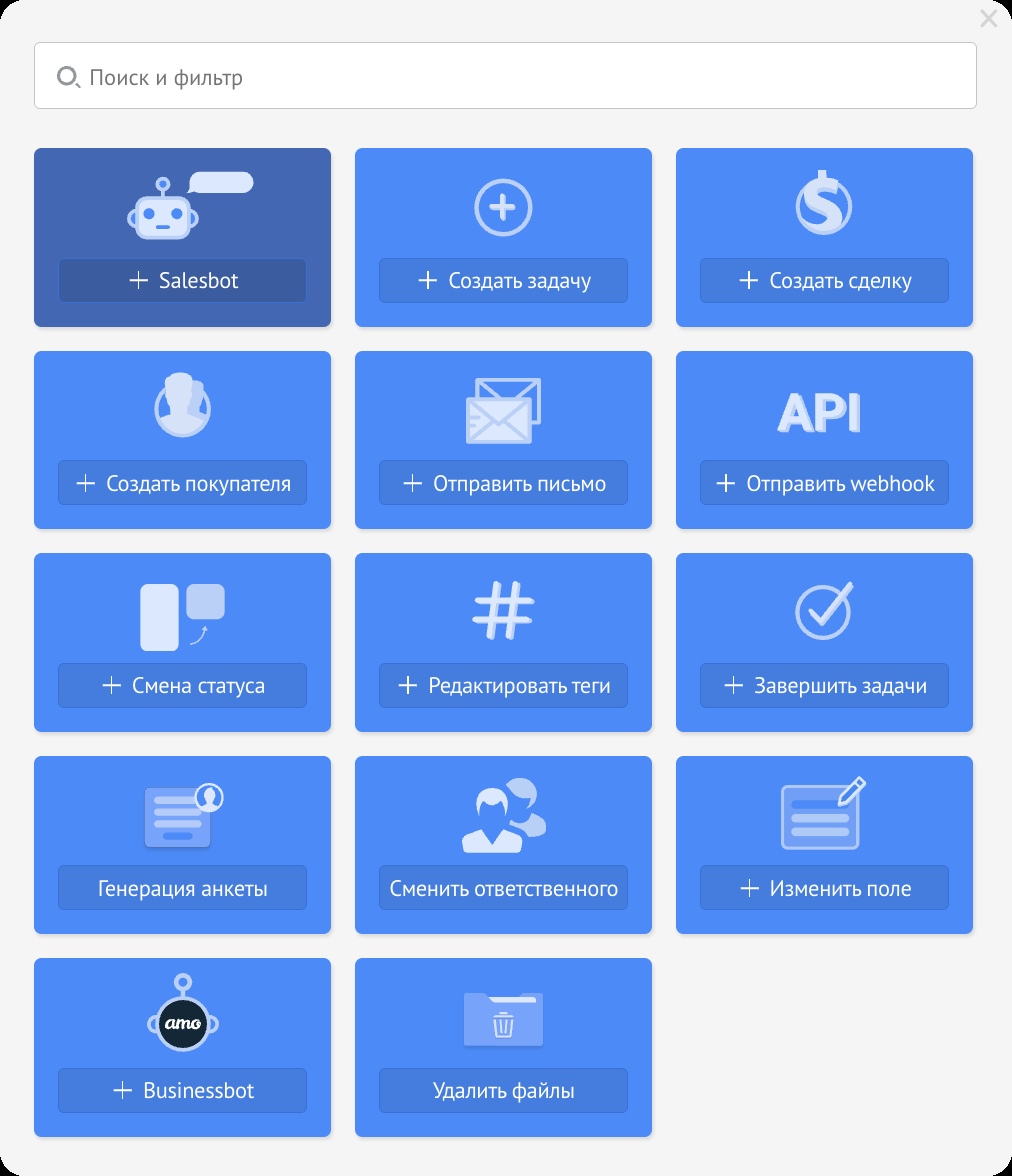
Select Salesbot.
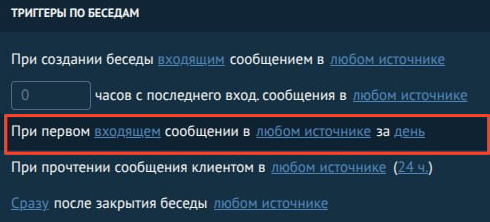
Set the bot to run “When a lead starts chatting for the first time that day” in any channel, then create a new bot.
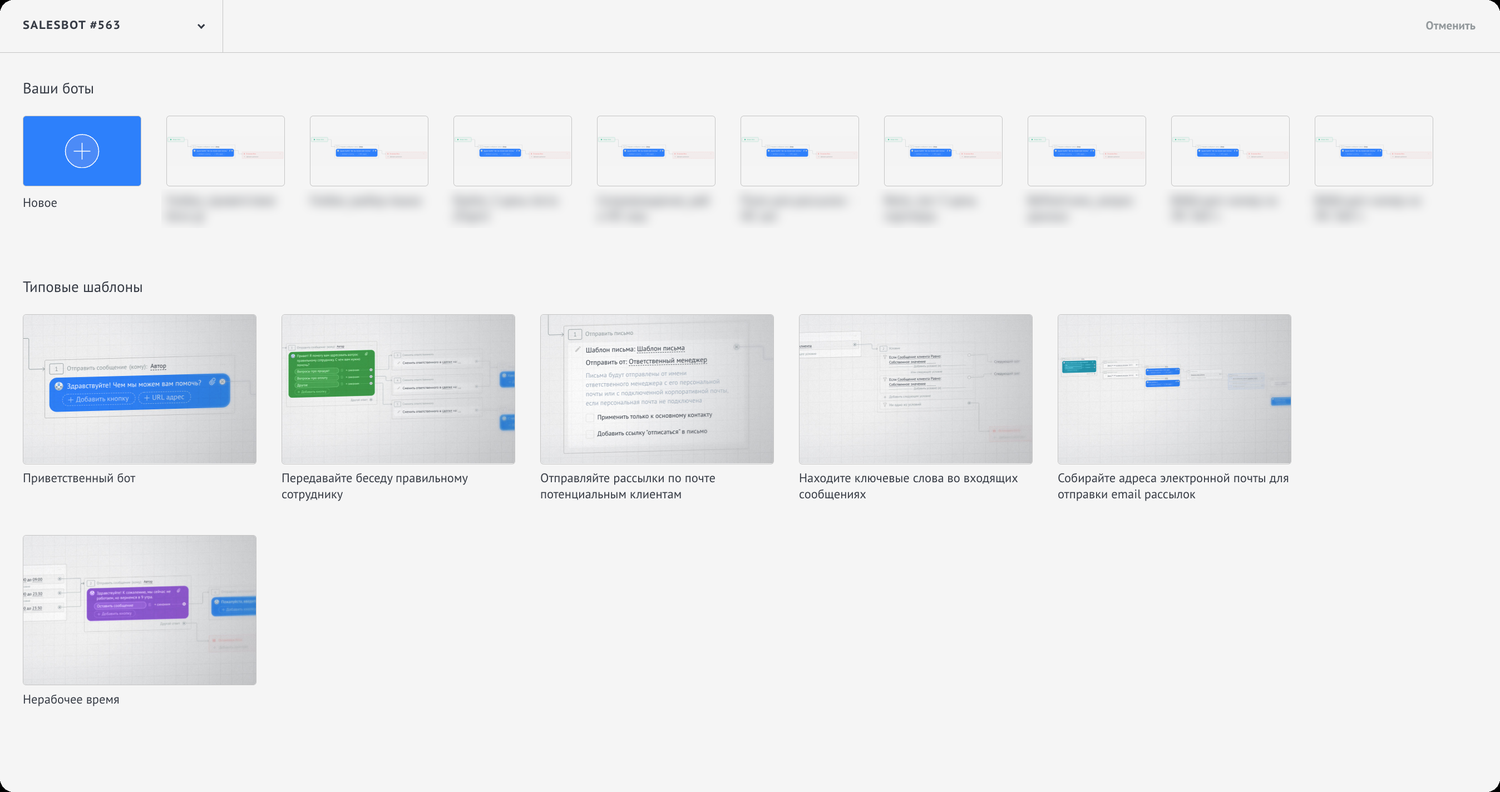
The bot gallery opens. Choose to build a new bot from scratch.
Build the chain as shown in the screenshot:
- Set field → lead field
radist_first_message→ client’s message; - Set field → lead field
roistat→ custom value{{regexp./.+roi-([0-9]+)/}}; - stop the bot.
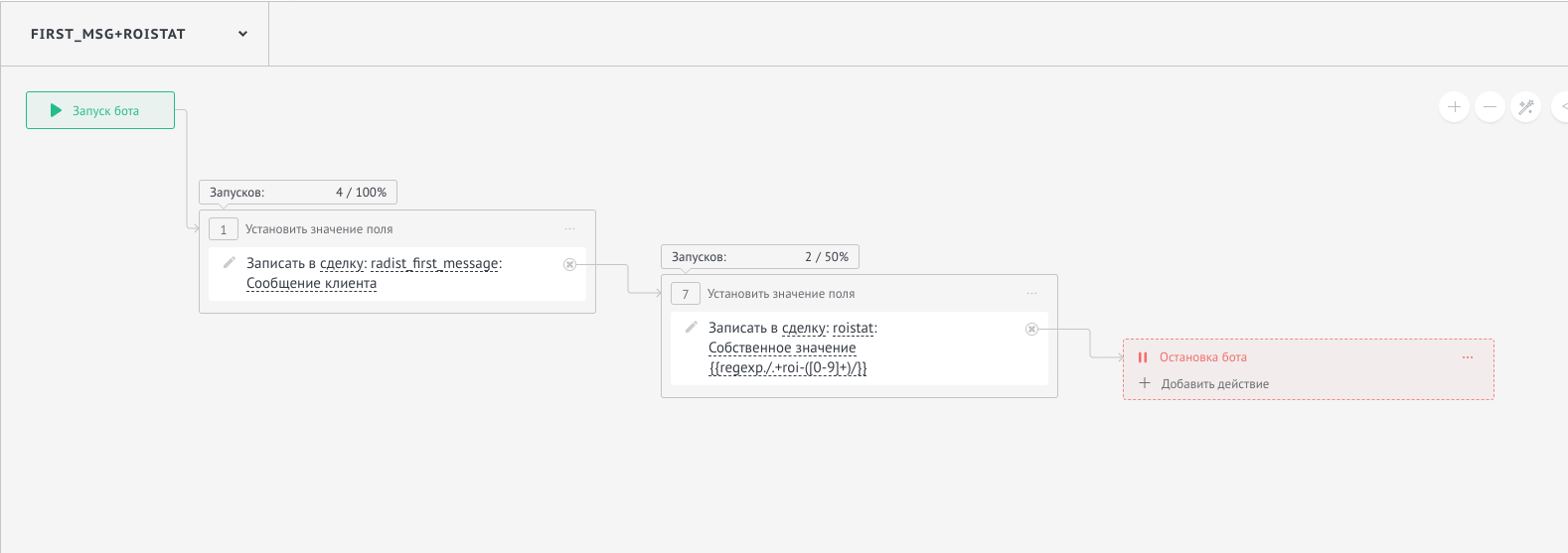 If you only need to capture the first message, without Roistat, skip the “set field: roistat” step.
- Set field → lead field
Save. ✅
Setting up the Roistat integration
How to connect Roistat and Radist.Online is described in the Roistat article (available in Russian only).
Webhook URLs:
- for all connected messengers:
https://services.radist.online/amocrm/first_message - only for specific sources (list them after
=):https://services.radist.online/amocrm/first_message?services=
Channel codes:
| Channel | Code |
|---|---|
| Telegram | telegram |
facebook | |
| Instagram (Kommo’s own integration) | instagram |
| WhatsApp (old Radist.Online widget) | online.radist |
| WhatsApp (new Retie widget) | com.retie0.whatsapp |
| WhatsApp Business API (WABA) | ru.whatsapp.radist |
Messages arrive in Kommo like this:

FAQ
Do I need Roistat for the capture to work?
No. First message capture works without Roistat. You only need the radist_first_message field and a Salesbot that writes the first message to it. Roistat is an option for end-to-end analytics. If you don’t use it, just skip the “set field: roistat” step.
In which pipeline stage should I create the capturing bot?
In the stage where leads are created according to your settings. Usually it is the first stage after “Incoming leads”. If leads are created in a different stage, put the bot there. Otherwise the trigger fires too early or too late, and the field stays empty.
Does the capture work with Telegram bots and WABA?
Yes. The mechanism is the same for all connected sources: WhatsApp, Telegram, Telegram bots and WABA. The full list of channel codes is in the table in the Roistat section above.
What if the radist_first_message field stays empty?
Three common reasons: (1) the bot is not in the stage where leads are created; (2) the trigger is not set to “When a lead starts chatting for the first time that day”; (3) the bot chain never reaches the “Set field” step. Go through the instructions step by step, starting with the pipeline stage.
How do I use the field value to launch different chains?
After the capture, add a Condition block → field value → choose radist_first_message → set the options (“contains ‘apples’”, “contains ‘shoes’” and so on). Each condition gets its own bot branch with the right messages and actions. The same way you can tag leads or change the responsible user depending on what the first message says.