🔥🆕 Radist.Online in Kommo.com
ed. 1 dated 08/04/25
Radist.Online widget is a user—friendly interface that allows you to correspond with clients directly from amoCRM or Kommo without switching between services. All communication is in one window, with support for messengers, message templates, files, voice and media.
✅ Main features:
- Communicating with clients through the usual messengers (WhatsApp, Telegram, etc.)
- Working with template responses
- Attachment support: photo, video, voice
- Chat search
- Display of unread and unprocessed messages
- Integration with transaction and contact cards in CRM
Pay attention:
Integration only provides the opportunity to communicate through Radist.Online widget.
Automatic creation of transactions and adding correspondence to CRM are the functionality of other integrations.
If you want messages to automatically create transactions or get into Kommo.com and Kommo.com, you must additionally install messenger integrations with Kommo.com.
To enable the necessary integration, follow the instructions at the link:
docs.radist.online → Integrations
🔥 To set up and launch a cascading messages, follow the instructions at the link:
docs.radist.online - Cascading messages
🔧 Enabling the “Radst.Online in Kommo” integration
In the “Integrations” section, a new integration has appeared in the list of available ones — the “Chat in Kommo”.
✅ How to enable integration:
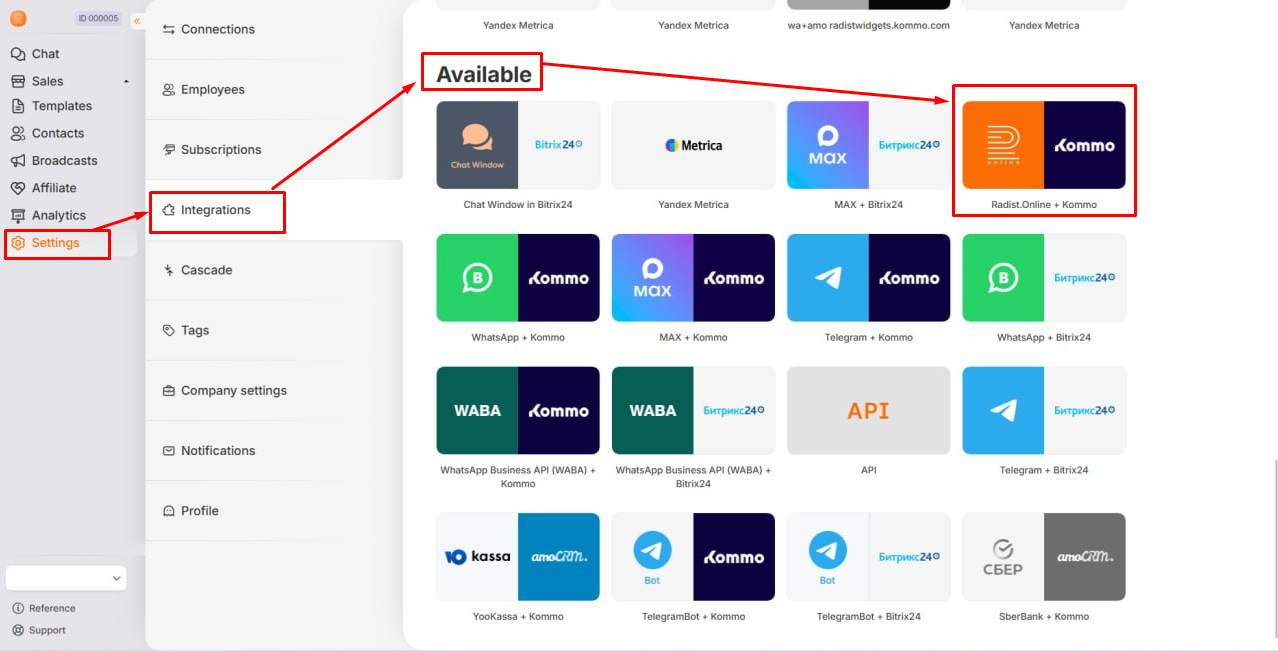
📍 Step 1: Go to the Integration connection section:
Go to Settings → Integrations, then select the “Available” section and find the desired integration “Radist.Online in Kommo”
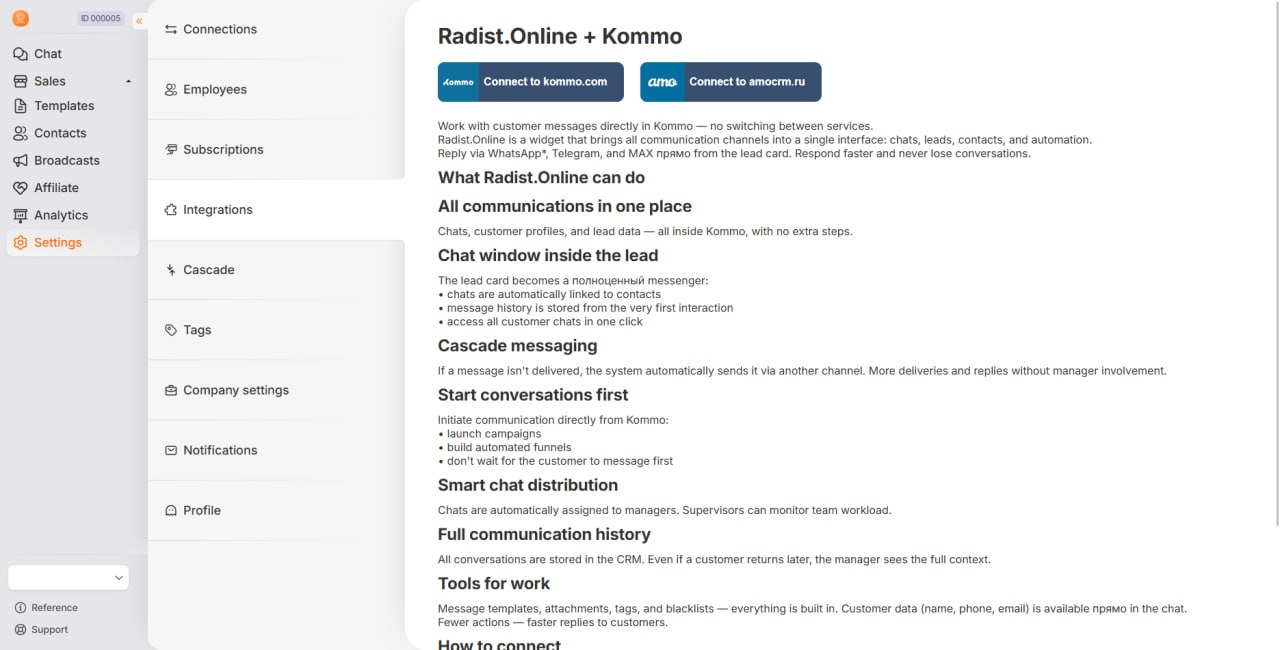
📍 Step 2: Enabling Integration
Click “Connect to kommo.com " on the integration page and follow the instructions:
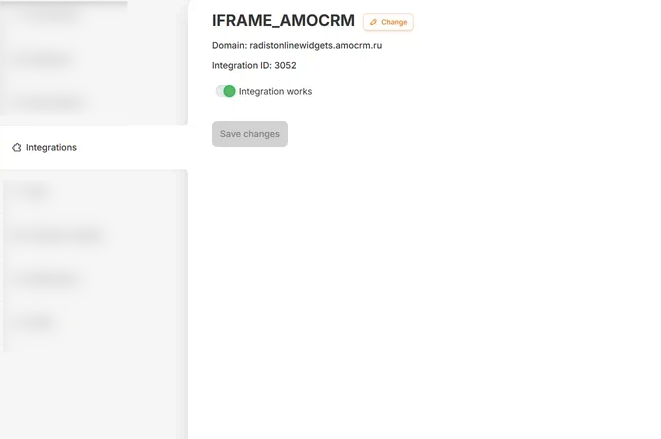
🛠 What happens after the connection:
The connected CRM (domain) is displayed,
The integration ID will appear,
It will be possible to enable or disable integration.
Important:
There are no settings for duplicate control in this integration. All requests and messages will be processed without checking for repetition.
Duplicate control is configured in the settings for messenger integrations with Kommo.com
You can learn how Radist.Online works in the following section: go to the desired document in the left menu or click on the forward arrow.