Blacklist for VK Community
Use the blacklist for VK Community in RadistWeb to block unwanted users from chats or connection cards, and unblock them. Changes apply within 15 minutes.
What is the blacklist for
You can block the VK user so that you don’t receive messages from them.
- Block: Open a chat with the user → click “Block”.
- Unblock: through the “Chats” section (chat action) or through “Connections” → VK Communities → “Unblock” action.
The logic is completely similar to other connections: no messages are received or sent to a blocked chat.
Where to manage the lock (more details):
1. The “Chats” section
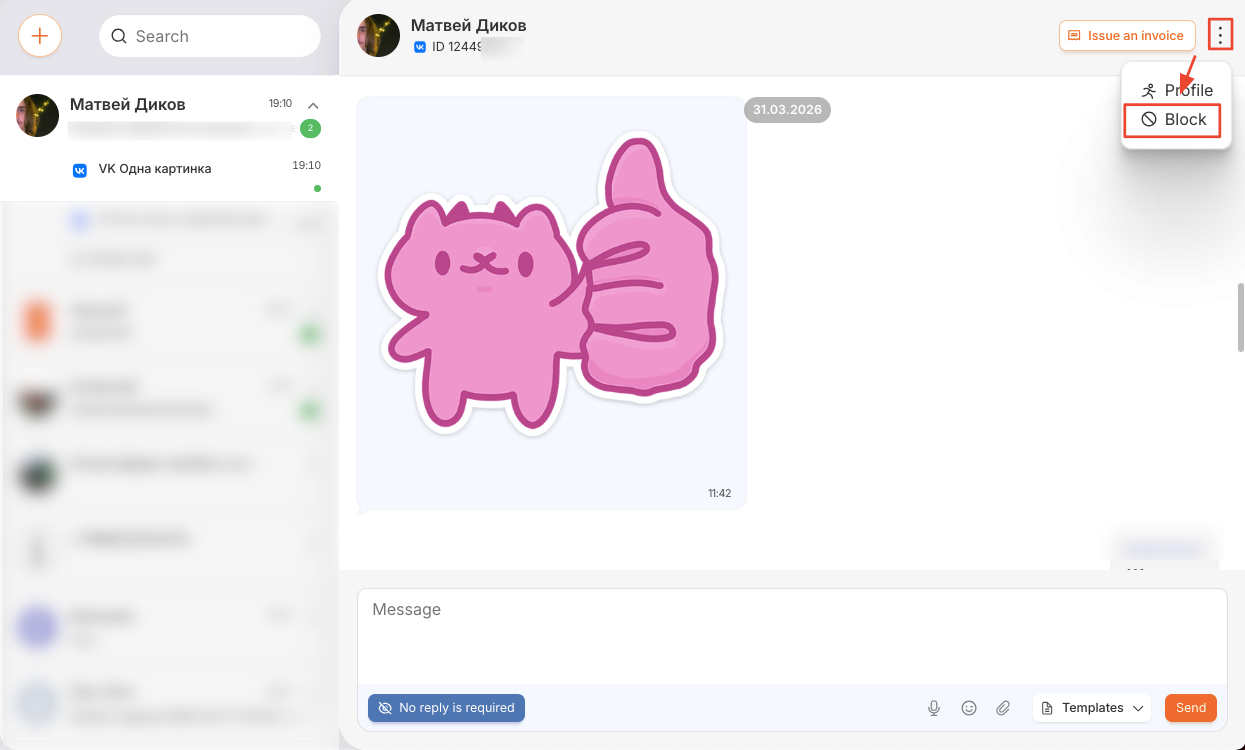
- All chat lock and unlock mechanics are available here.
- When blocked, the chat is immediately blacklisted by the VK Community in RW.
2. VK Community Connection Card
RadistWeb - Connections - VK Communities - down arrow - a panel with a Blacklist opens (see screenshot).
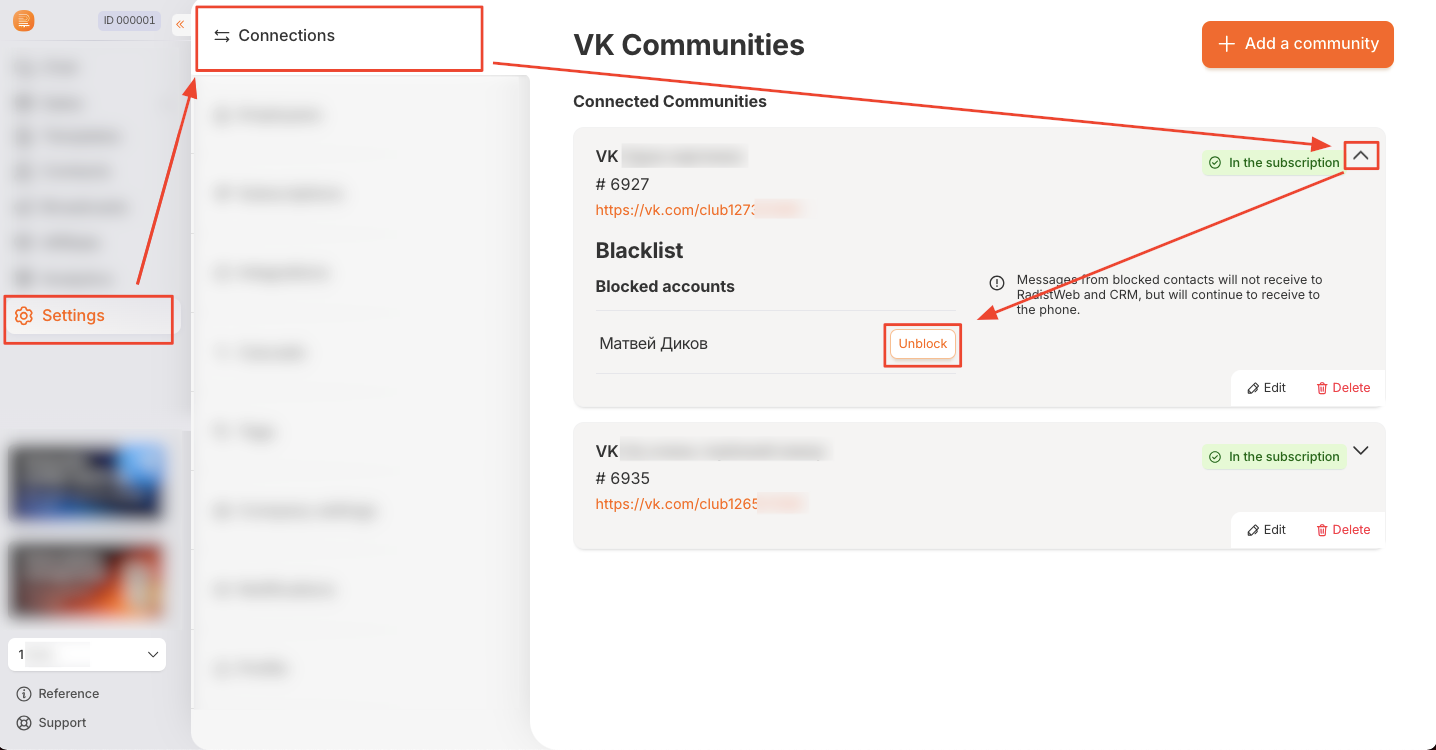
- You can only unblock the chat in the card (you cannot block it from this section).
- The names of the contacts that have been blocked are displayed in the list of blocked chats.
Important:
We added the number to the blacklist. Within 15 minutes, messages from it stop coming to CRM and RadistWeb.
The number was removed from the blacklist. Within 15 minutes, messages from it begin to arrive in CRM and RadistWeb.
Was this article helpful?
Last updated on