WhatsApp and Telegram group chats
Enable WhatsApp and Telegram group chats in RadistWeb: turn on group support in Connections, see how groups display, and what limits apply to each messenger.
RadistWeb supports group chats in WhatsApp and Telegram — you receive and send group messages right in your personal account.
How to enable group chats
Open the “Connections” section
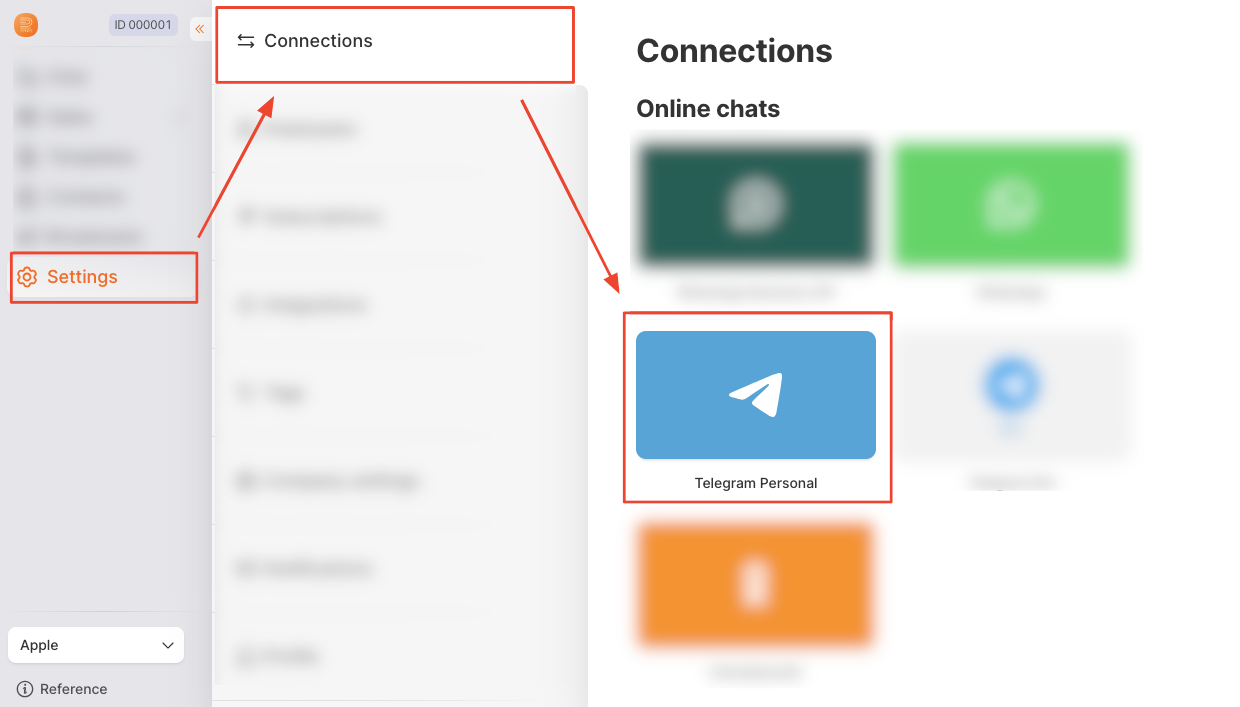
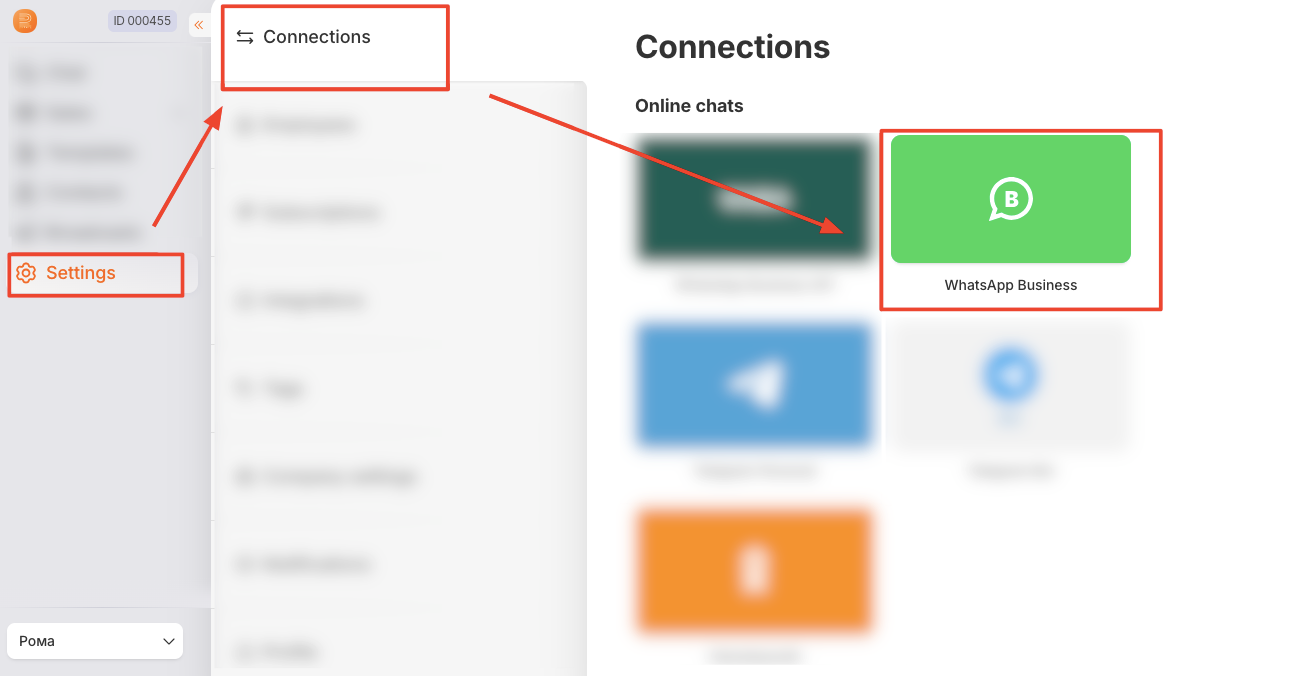
Sign in to RadistWeb and go to the “Connections” section in the settings.
Select the connection you need
For Telegram, select the “Telegram Personal” connection:
For WhatsApp, select the “WhatsApp Business” connection:
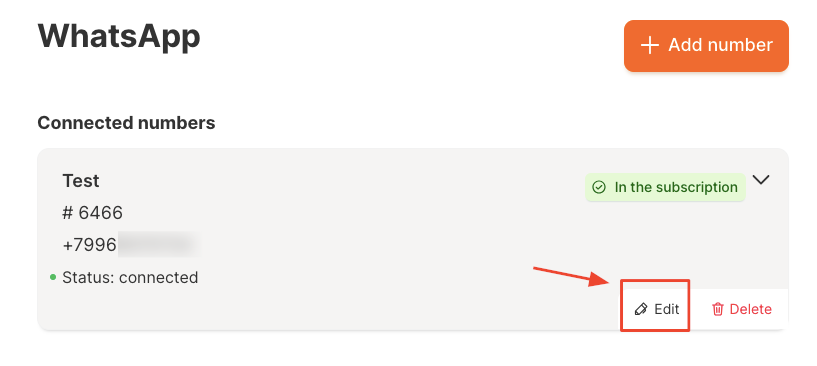
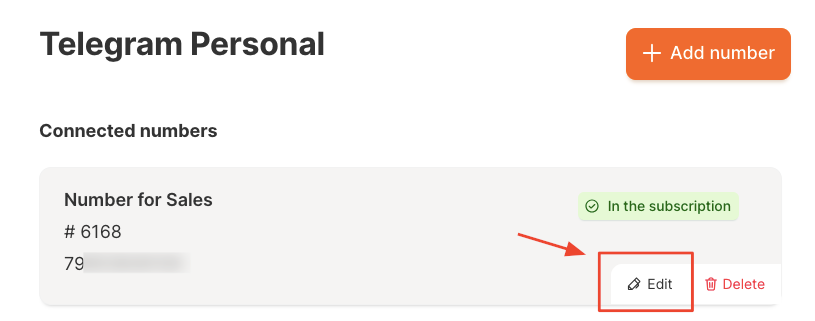
Click “Edit”
Turn on receiving group messages
Enable the “Receive messages from group chats” toggle and click “Save changes”.
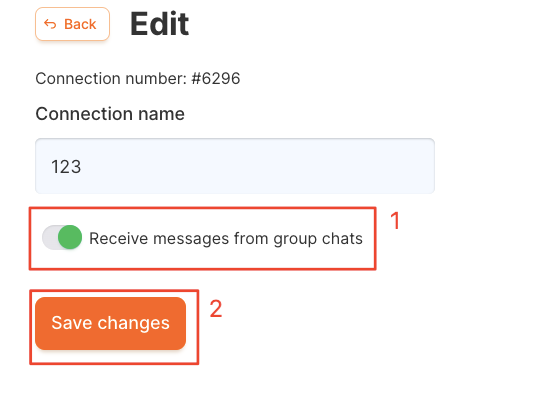
Done
Group chat support is enabled — new group messages will now arrive in RadistWeb. ✅
How group chats display
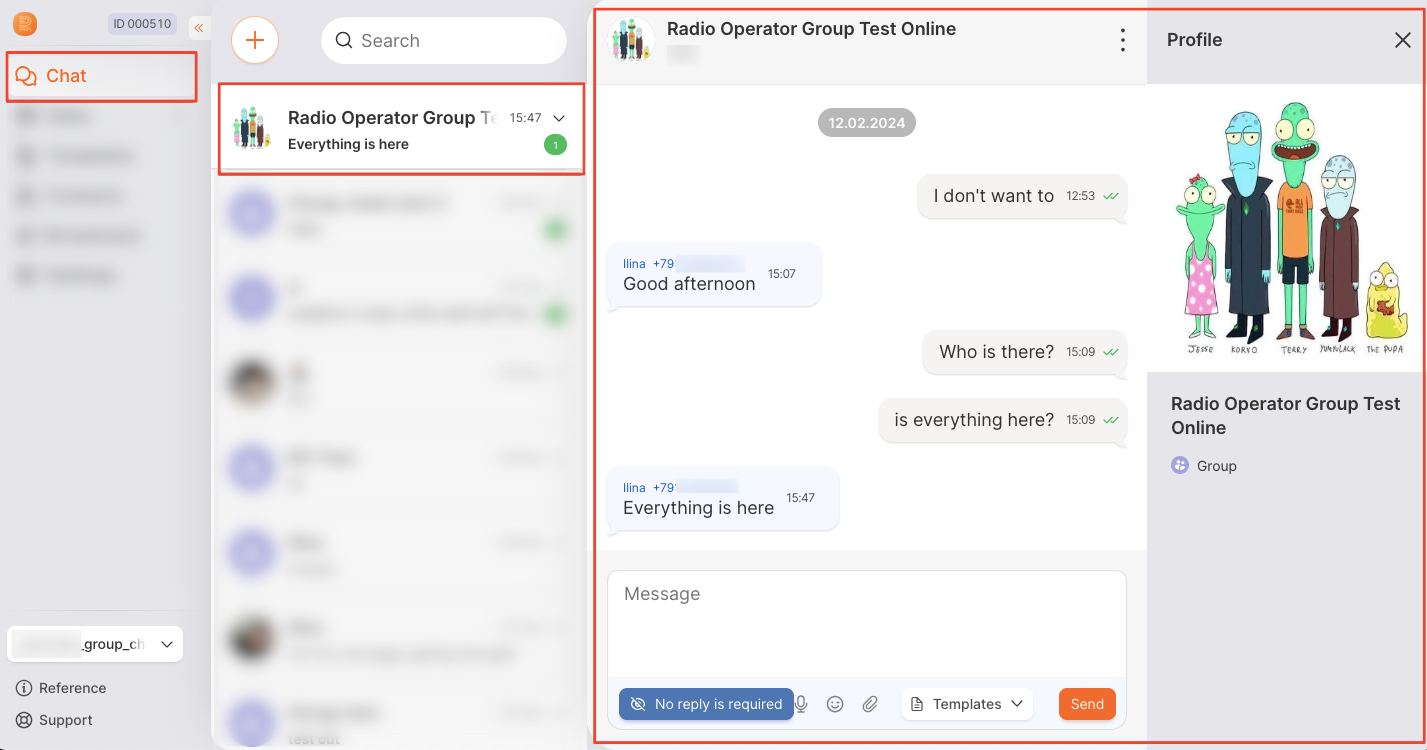
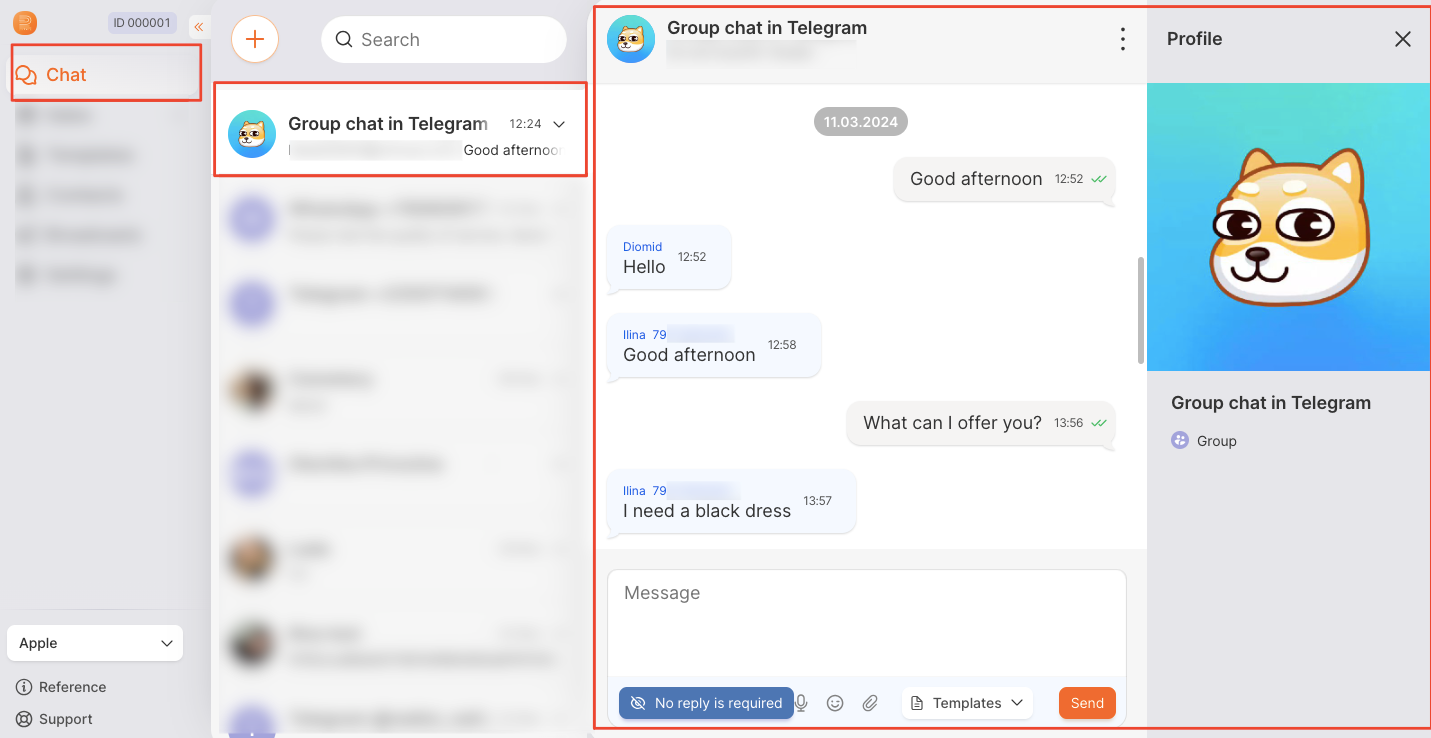
Group chats appear in the list alongside regular conversations.
Here is how a WhatsApp group chat looks:
And here is a Telegram group chat:
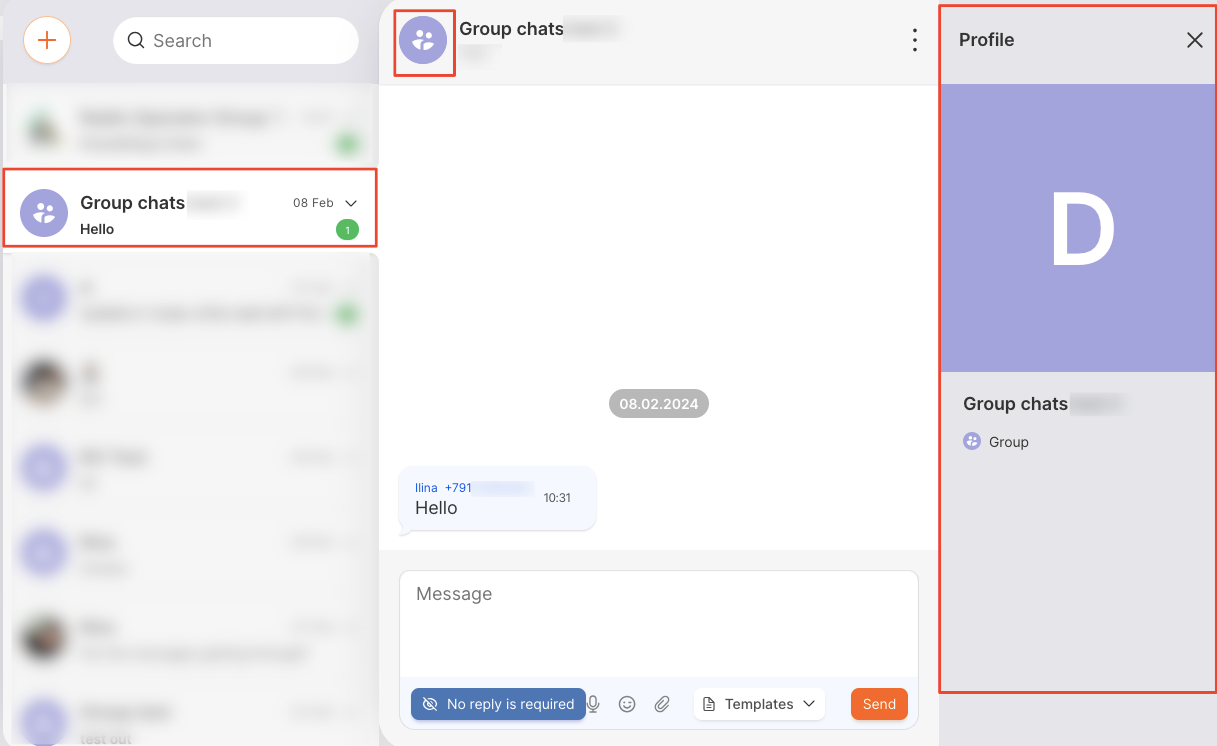
The avatar and group name are pulled from WhatsApp or Telegram. If the group has no avatar set, a standard icon is shown:
Group chat specifics
These work the same for WhatsApp and Telegram:
- The opened group profile shows only the group name — participants’ phone numbers are not available.
- Contacts from a group are not saved automatically.
- Messages cannot be quoted.
- A participant’s first and last name are taken from their messenger profile. If the details are hidden, only the number is shown.
- You cannot remove participants from a group — this is only done in the messenger app on the phone.
For Telegram only:
- A participant’s username is not shown in RadistWeb.
- Groups of up to 1000 participants are supported.
- If a group becomes a supergroup, a new deal is created.
- Forums and subgroups (topics) are not supported.