Contact Profile
Open the contact profile from a chat in RadistWeb: jump from the short card to the full contact profile to see all customer details in one place.
Right from a chat you can open a client’s profile and view their details without going to the “Contacts” section.
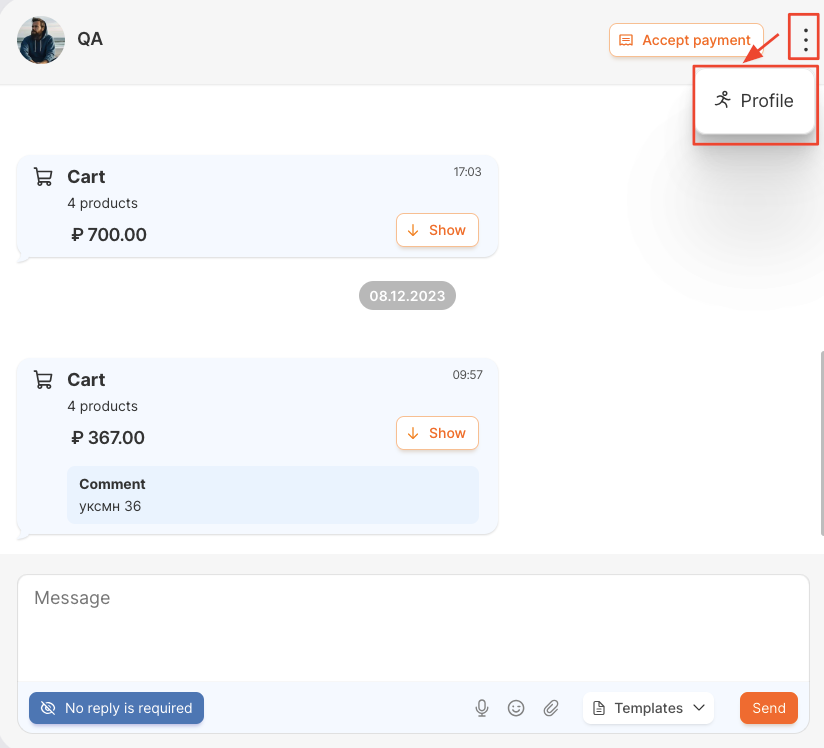
How to open the profile from a chat
From a chat you can go to the contact’s short profile — with the client’s main details.
Tags in the short profile
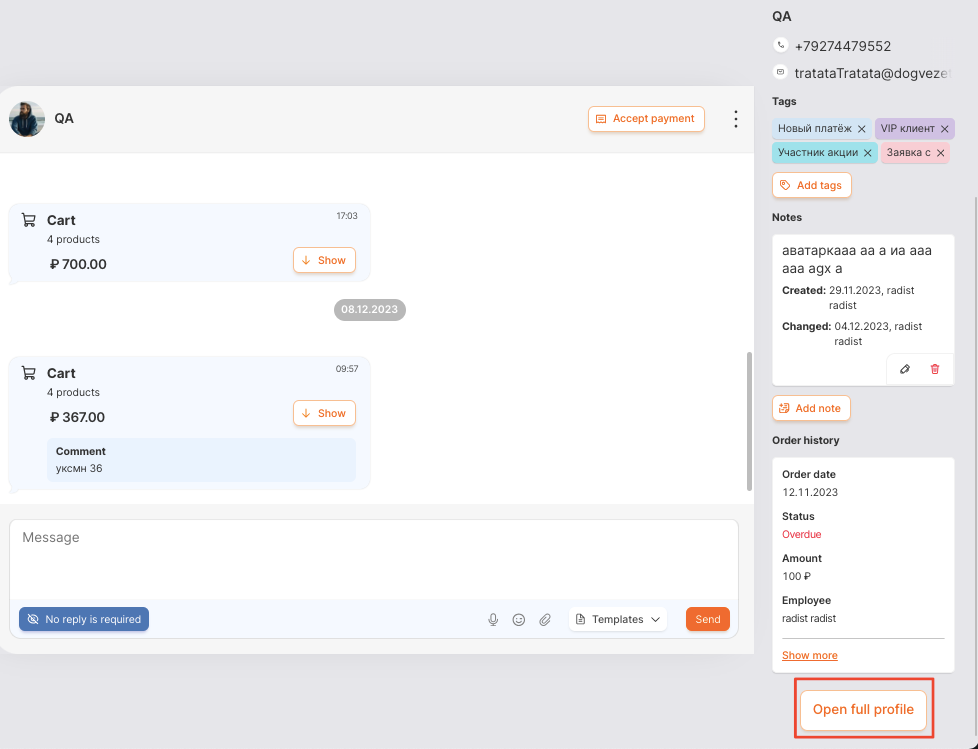
The short profile shows the contact’s tags. You can add them right here with the “Add Tags” button or remove them with the cross — see Tags in contacts for details.
You can filter the chat list by tags — for example, to keep only the chats with your VIP clients.
Short and full profile
From the short profile you can go to the full contact profile — where all the information about the client is gathered.
Managing all contacts — creating, editing, and viewing the list — is in the Contacts section.
What’s next
Was this article helpful?
Last updated on