How to set up and how the cascade works in Kommo
Set up the cascade in Kommo via SalesBot and the Radist.Online widget: configure the message, attach a file, and see how cascade delivery works step by step.
The cascade is started via:
SalesBot + widget "Radist.Online"How to set up
how-to-set-up-cascade-in-kommo.mp4
Step 1. Adding to SalesBot
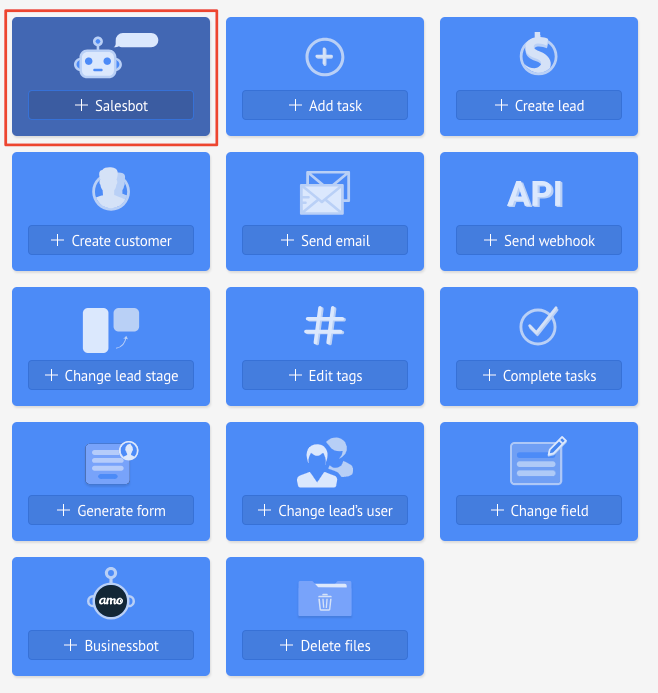
- In your account, go to the desired SalesBot or create a new one:
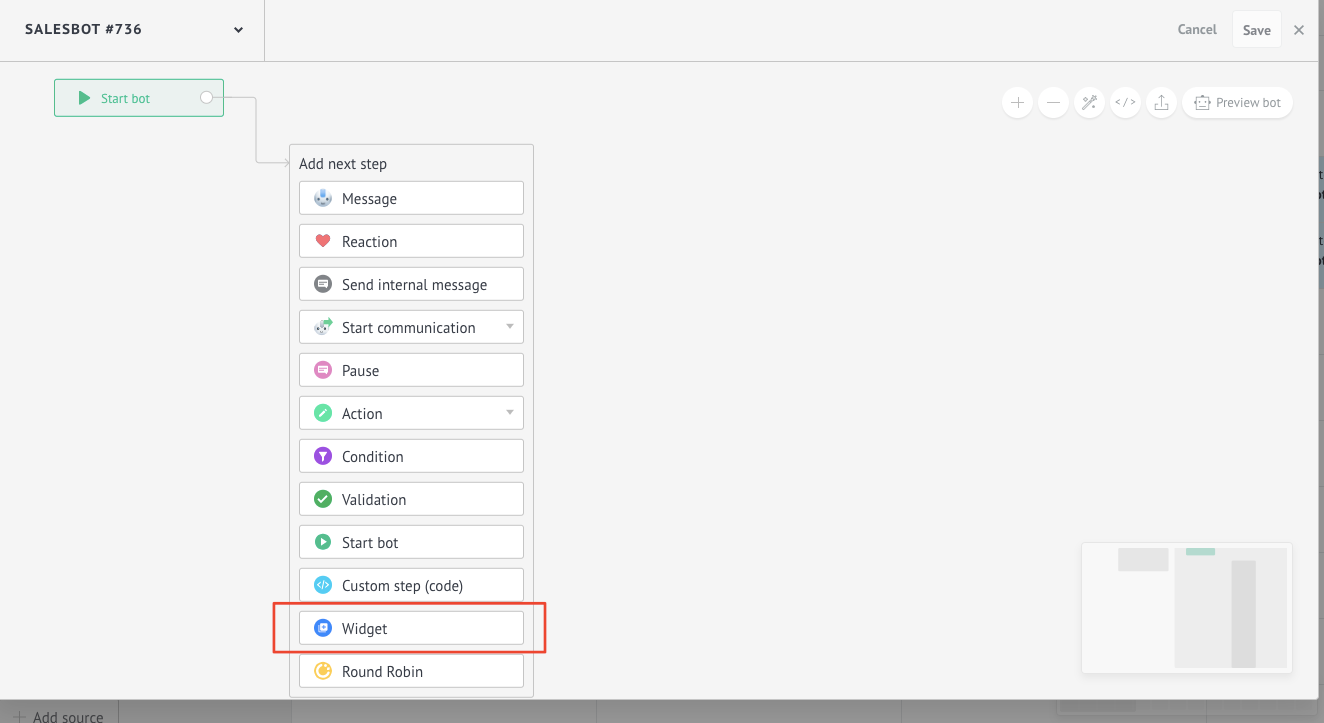
Select “Widgets”
Select the widget “Radist.Online”.
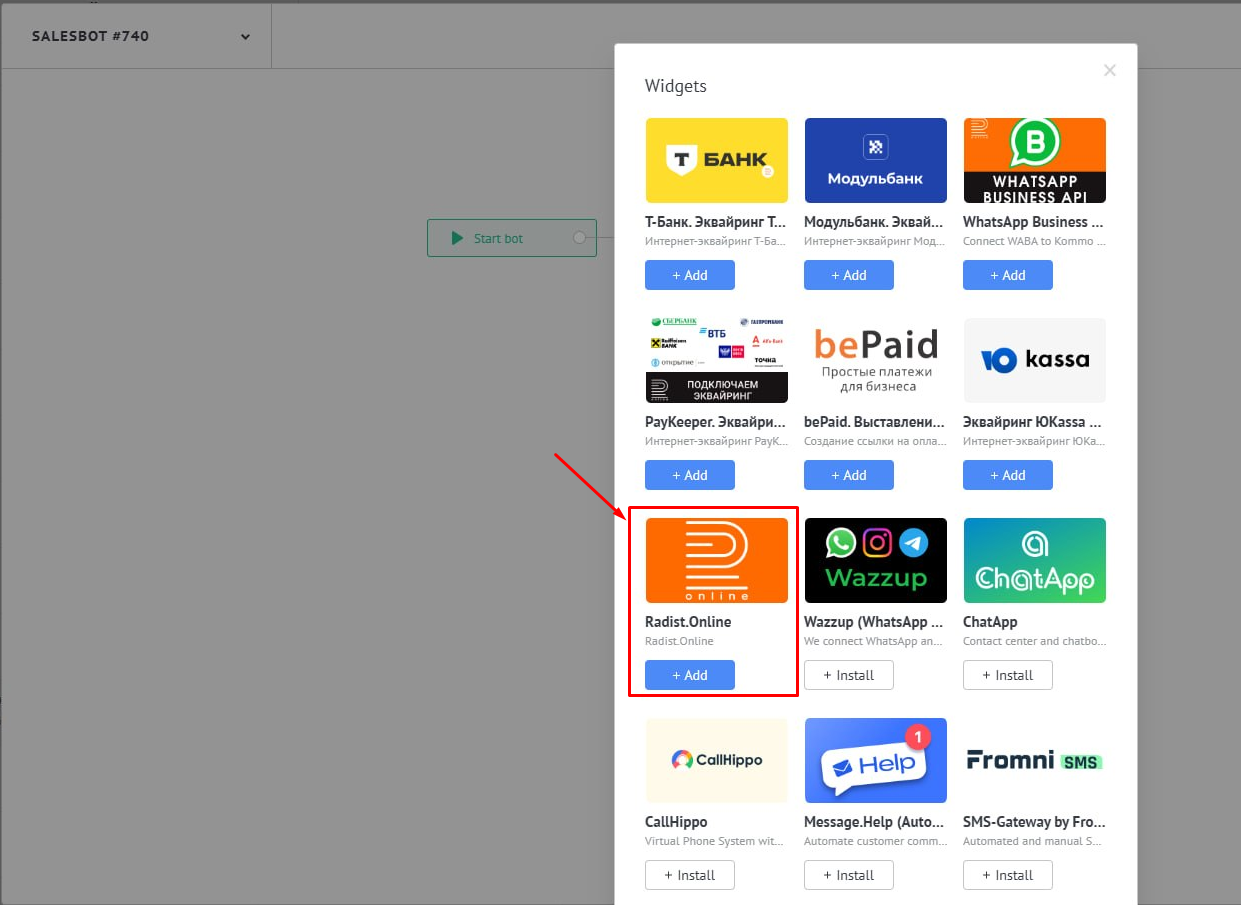
- Click the “Setup” button to open the message settings window.
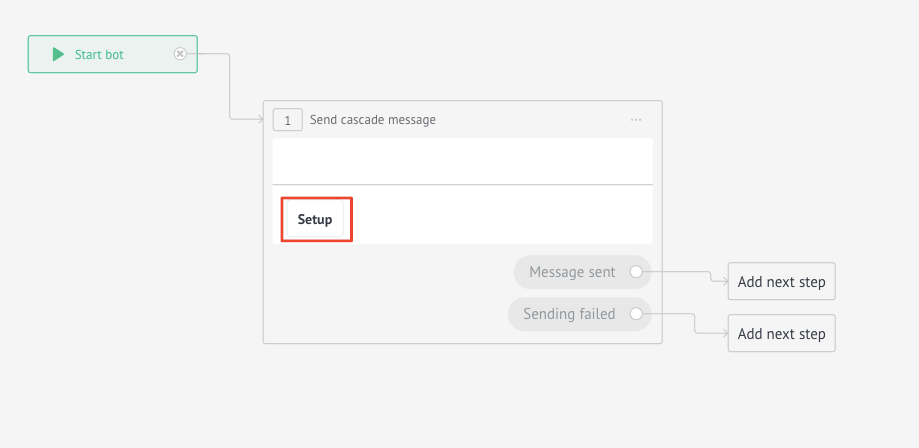
Step 2. Configure the message in the widget
In the window that opens, you can configure the contents of the message that will be sent via cascade:
- Message text: supports masks from the fields of the transaction and the Kommo contact (for example, [Contact.Name], [Deal.Name]).
- File: You can attach a single file up to 100 MB in size.
The images are sent as images.
Videos and other file types are sent as files. \
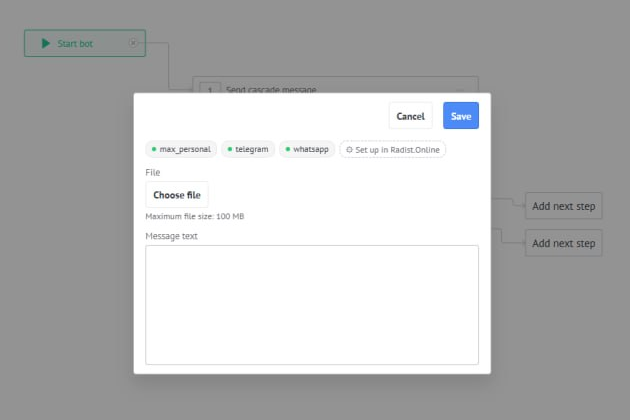
The “Configure it in Radist.online” button allows you to quickly go to the Cascade section of RadistWeb to change the order or composition of connections.
After setting up, click “Save”. A preview of the saved message will be displayed in the SalesBot interface.
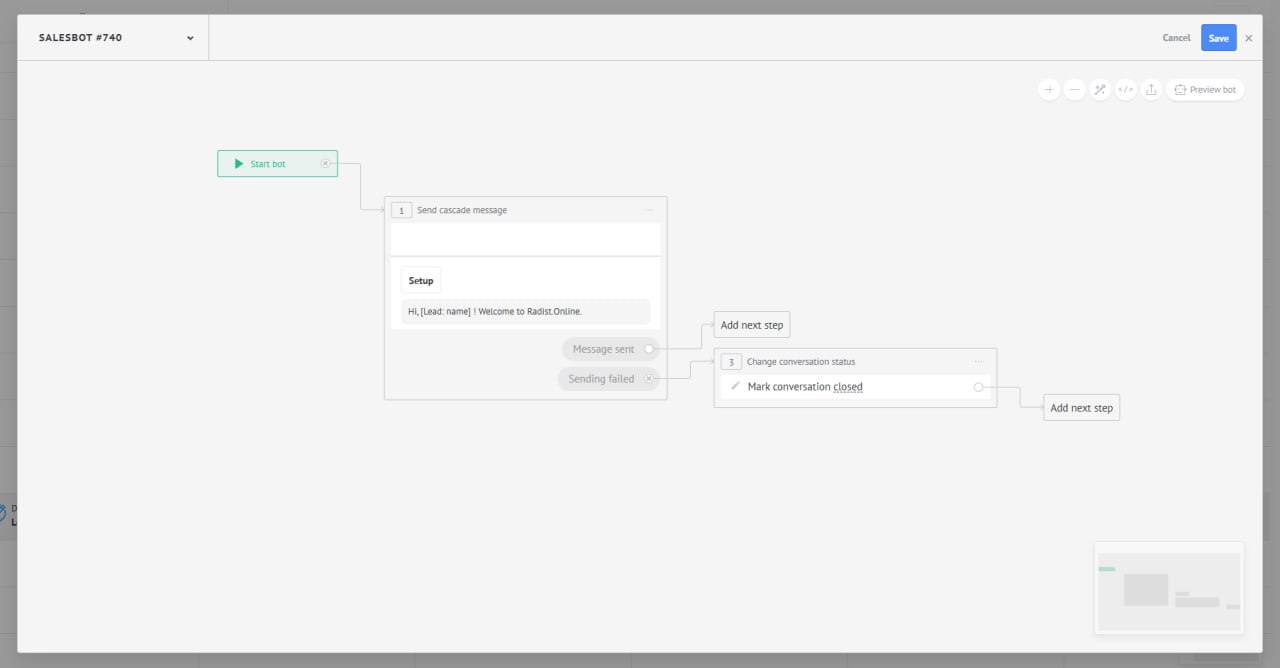
How sending works
When SalesBot initiates sending a message, the system performs the following steps:
- Search for an existing chat:
- According to the contact’s data (phone number, username), the presence of an active chat in RadistWeb is checked.
- If the chat is found, a message is sent to it. If it fails, the system proceeds to cascade.
- Cascade operation:
- Messenger selection: according to the priority set in the Cascade section of RadistWeb.
- Number selection: connections inside the messenger are selected according to the Round robin principle (one at a time) for uniform load.
- Chat generation and sending: The system tries to create a chat with a contact and send a message.
- Waiting for the delivery status:
- The system is waiting for the status “Delivered”.
- If an error is received or the status is not received within 1 minute, sending is repeated via the next priority messenger.
- Completion of the cascade:
- The cascade ends as soon as the message is successfully delivered.
- If none of the channels could deliver the message, SalesBot proceeds to the next action according to the scenario.
Was this article helpful?
Last updated on