Editing WhatsApp profile in RadistWeb cabinet
Editing your WhatsApp profile in the RadistWeb cabinet: fill in description, category, email, website, address, and avatar to reduce the risk of number blocks.
Be sure to complete your WhatsApp profile, this reduces the risk of your number being blocked.
You cannot change WhatsApp Display Name - the WhatsApp Display Name - with this method. To edit it, use these instructions: /en/our-products/whatsapp-business-api/changing-the-profile-in-360dialog/#changing-display-name
To edit your profile you need to:
- Go to RadistWeb https://app.radist.online/ in Settings and then Connections - WhatsApp Business API
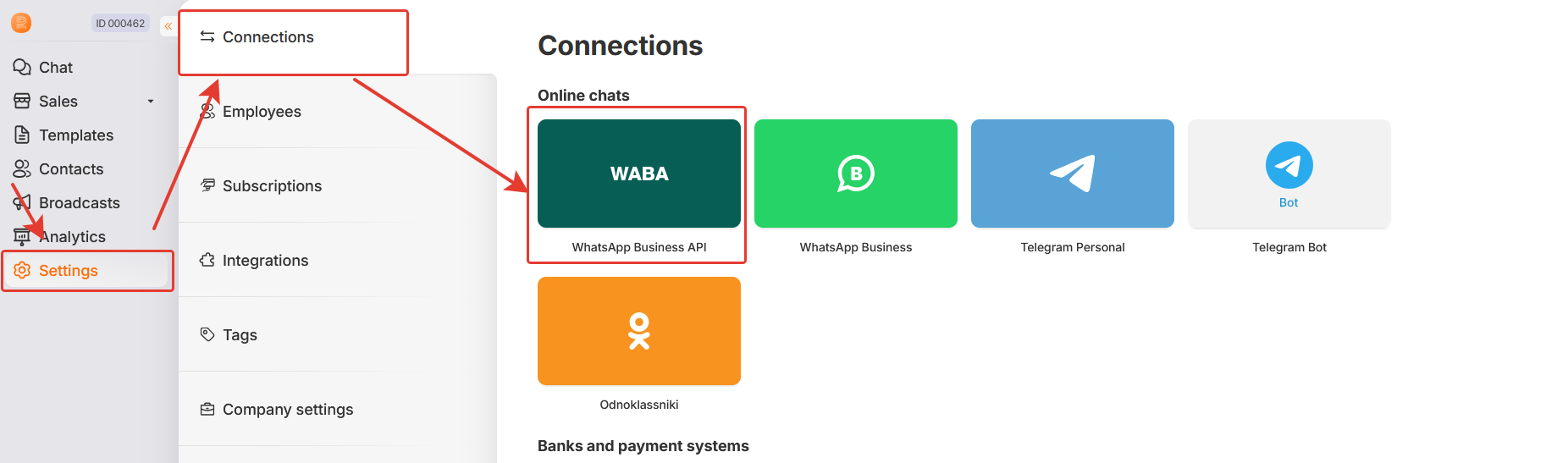
- Select a number, and click on the “Edit” button to the right

- In the window that opens, select the “Profile” tab
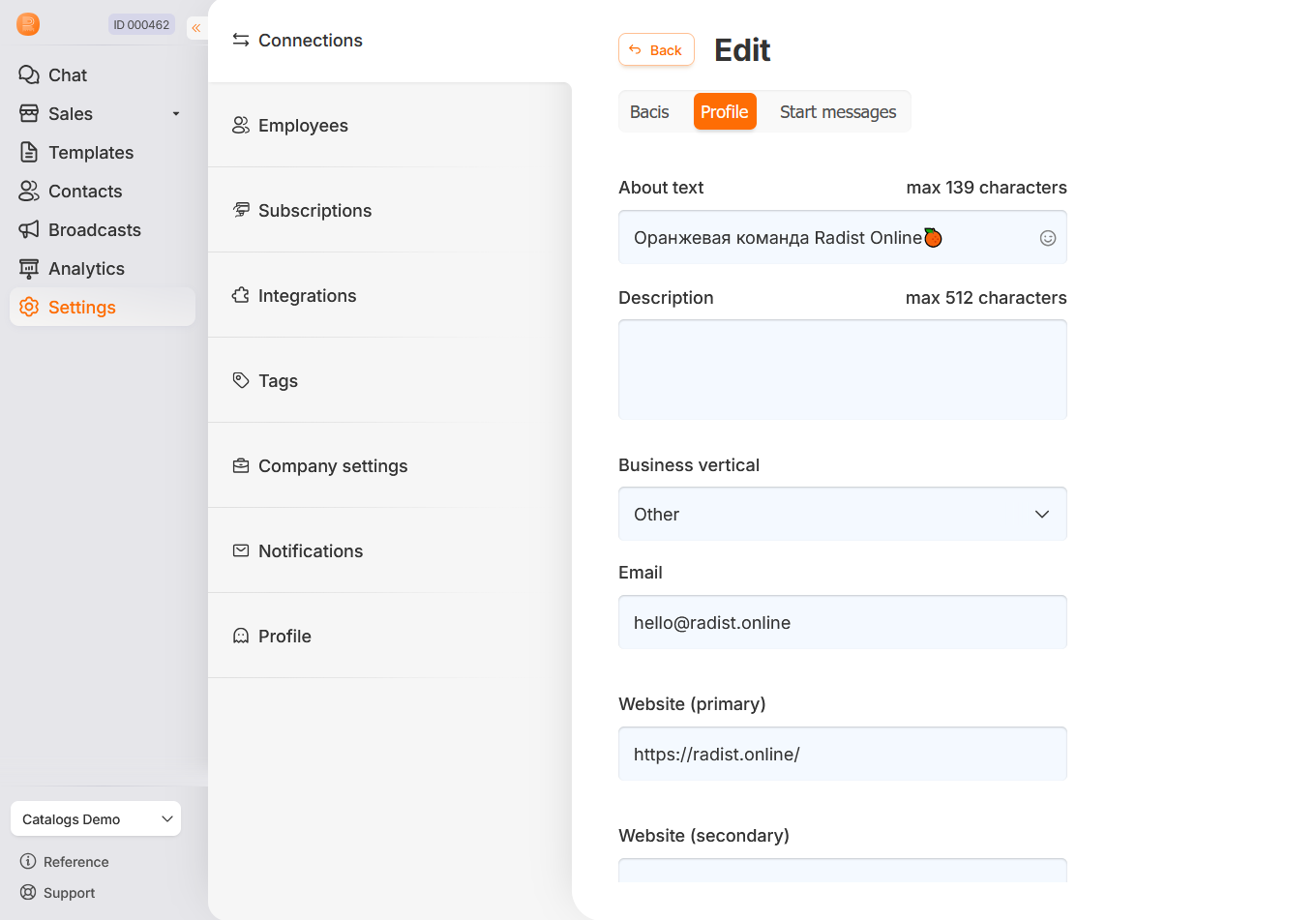
Here you need to fill in the fields, we recommend filling in all the fields:
- Short Description - a brief description of your company, up to 139 characters.
- Full description - a detailed description of your company or business, up to 512 characters.
- Business Category - select the closest category to your company, if it does not fall into the list of categories - select “Other”.
- Email - company email address/email address where a customer can contact you outside of WhatsApp.
- Website address (main) - the main address of the company’s website, must match the address listed in the Facebook* business portfolio information for the business.
- Website address (additional) - additional address of the company’s website, e.g. regional office website.
- Address - the legal or actual address of the company or office.
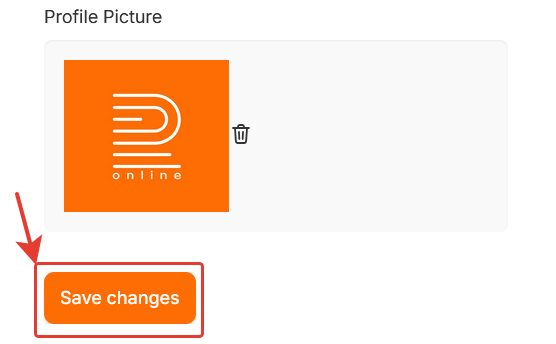
- Profile picture - company avatar in WhatsApp, can be in JPG, JPEG or PNG format, no more than 50 MB.
After editing the profile, click on the “Save Changes” button
Was this article helpful?
Last updated on